There is a new release (version 5.09.01) available of our 3D program XFEM4U.
Click here to install the new release.
On release notes you will find an overview of all changes
The most important new features:
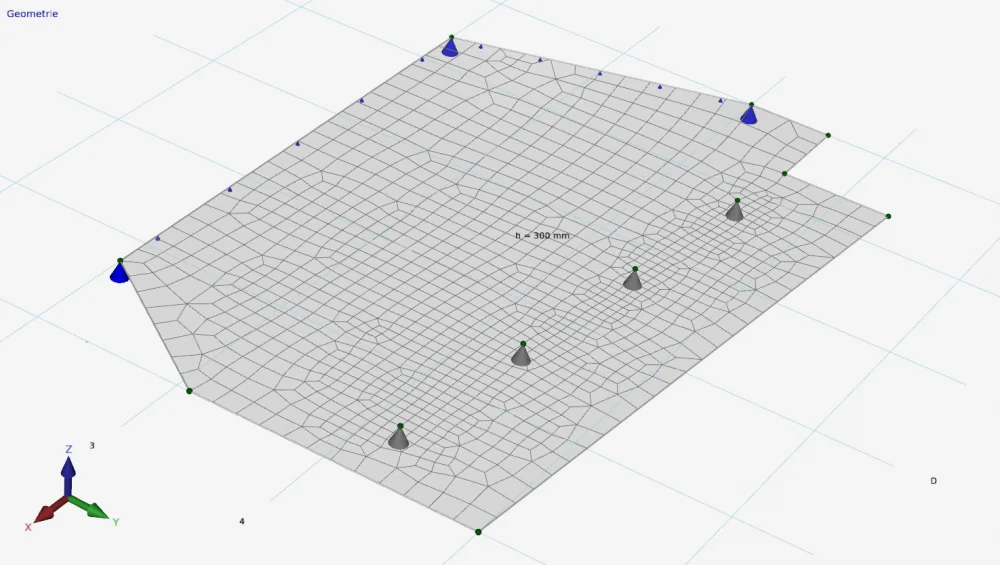
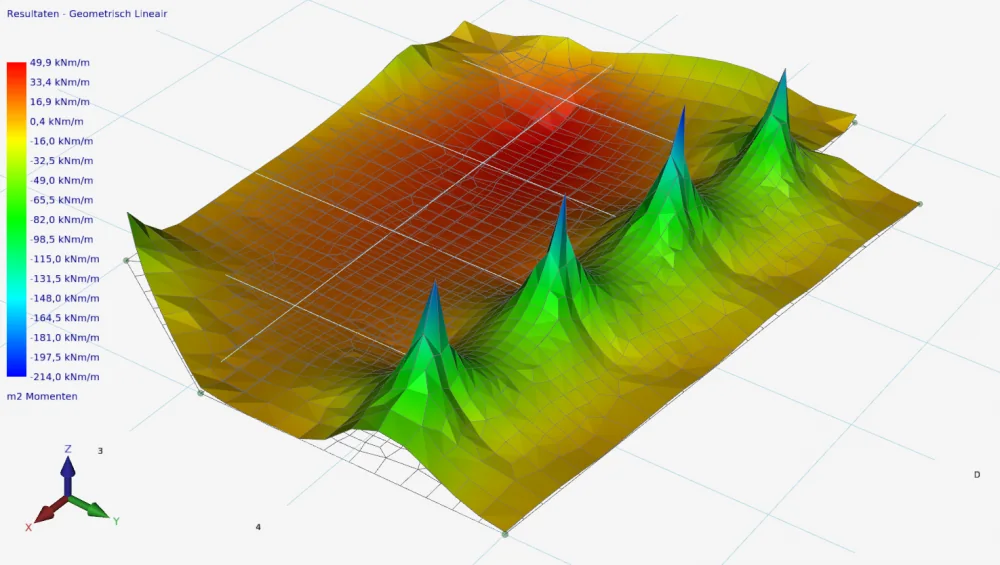
1. New Detailed calculation of reinforcement in plates, walls and shells
As you know, we have an effective and especially pleasant collaboration with Prof. Johan Blaauwendraad and Dr. ir. drs. René Braam.
Johan and René have developed a calculation method with which reinforcement in a plate or shell can be designed efficiently. In the next issue of Cement (edition 2021/8) an article is included in which this method is described in detail. This method of reinforcement design has been implemented in XFEM4U during the past year.
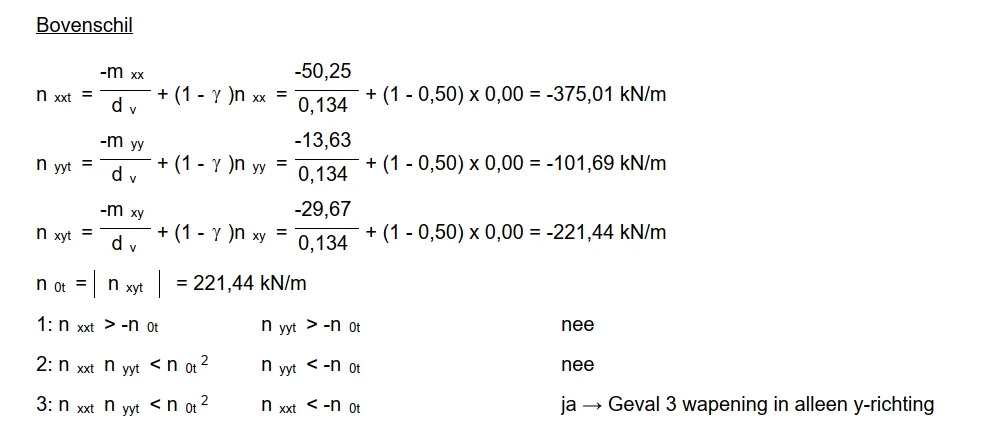
What is new is that the detailed calculation of the decisive nodes per plate is automatically included in the output.
The longitudinal reinforcement and shear reinforcement are automatically designed for strength (ULS) and also for cracking (SLS). At our request, Prof. Johan Blaauwendraad and Dr. Ir. Dr. René Braam also made the necessary verification calculations.
2. Moving and copying has been made even more intuitive
When moving and copying objects (nodes, beams, plates, etc.), you had to click on an existing node as a base point (starting point). This has been improved. You can now take any point as a base point. So also a non-existing point. Moving and copying has been made even more intuitive. (Helpdesk 1268 and 1277)
3. Calculating tensile rods
The iteration process with respect to the tensile rods in a geometrically nonlinear (GNL) analysis (final calculation) did not work properly in all situations, causing the calculation to stop and no results to be displayed. This has been improved. (Helpdesk 1284).
In release notes you will find an overview of all changes.
Click here to install the new XFEM4U version (5.09.01) immediately.
To stay up to date with the latest developments you can follow us on Linkedin.