Spreadsheet · Excel workbook (.xlsm)
XSpreadsheets: parametric models from Excel
An Excel workbook with dozens of parametric modules. Fill in the dimensions, sections and loads; the module builds the model and opens it in XFrame2D or XFEM4U, where you calculate and check it.
XLSMExcel→XFrame2D · XFEM4U
XSpreadsheets.xlsm, 6 MB, updated 26 July 2026.
The model opens in the program, where the calculation and the checks run.
Fill in a sheet. Get a model.
Each module is a sheet for one kind of structure. You enter the numbers that matter; the sheet does the modelling.
- 1
Open the workbook
XSpreadsheets.xlsm, in Excel. Pick the module for your structure.
- 2
Fill in the module
Geometry, sections, material grades and loads, in the input cells.
- 3
Open the model
One button opens it in XFrame2D or XFEM4U, ready to calculate, check and report.
Module names as published on our Dutch page.
Roofs, trusses, walls, floors and more.
A selection of the modules in the workbook:
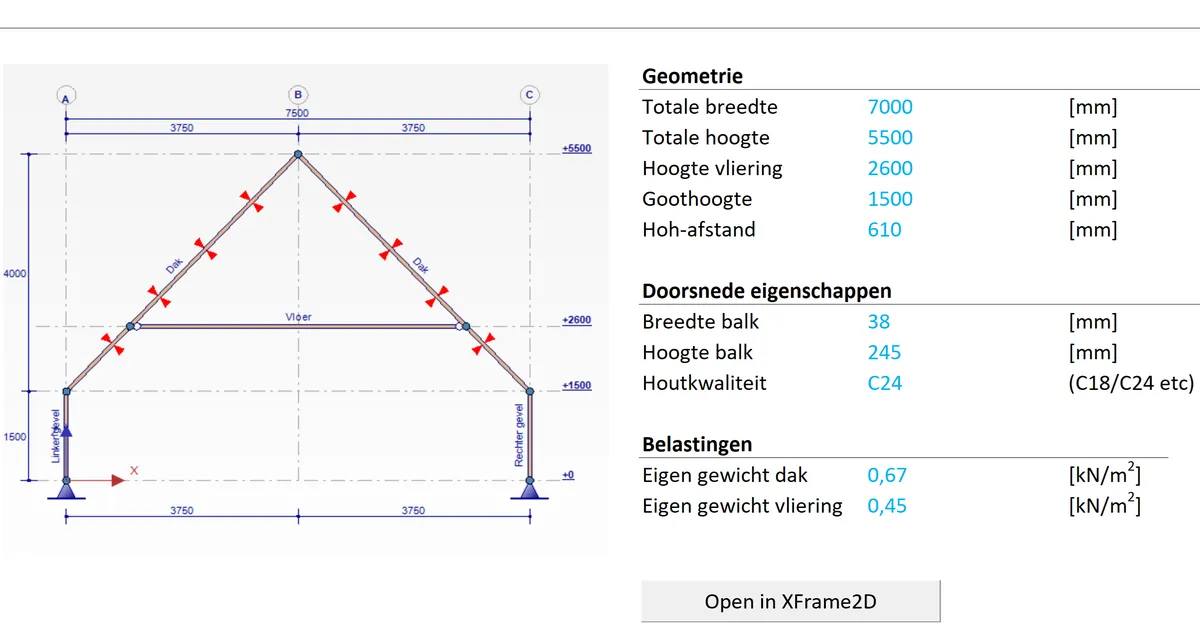
- Basement
- Rafter roof with knee wall
- Rafter roof without knee wall
- Purlin with Gerber joint and double bending
- Improved Dutch truss
- Fence
- Timber-frame wall with an opening
- Portal at an opening, with a sub-beam
- Trimmer
- Industrial floor on piles with chessboard loading
- Opening in a steel beam
- Water accumulation on a single-span roof, main beam with camber
The workbook holds dozens of modules in all. You can also build parametric spreadsheets of your own.
What the sheets look like.
Real module sheets, each with its drawing and the button that opens the model.
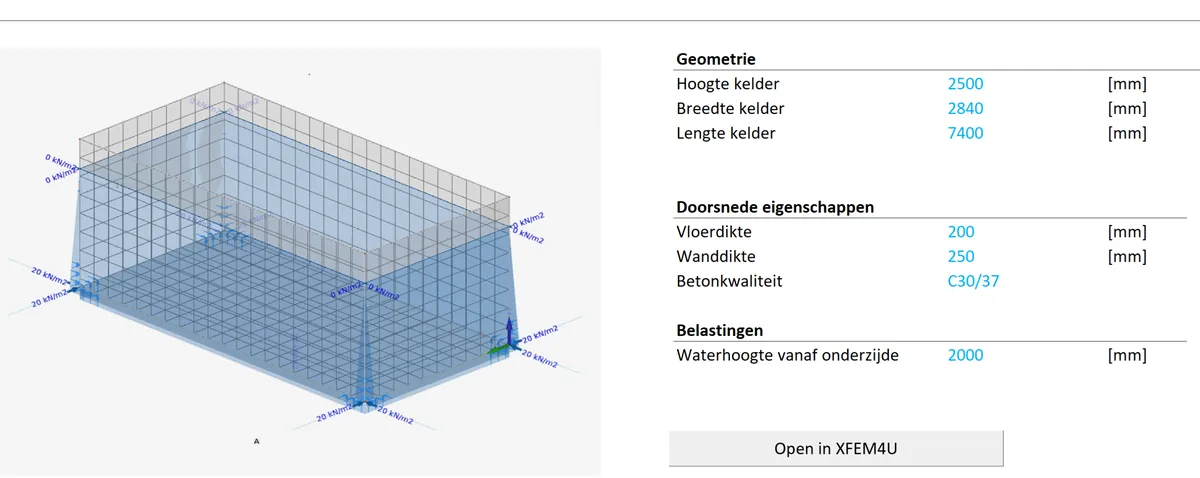
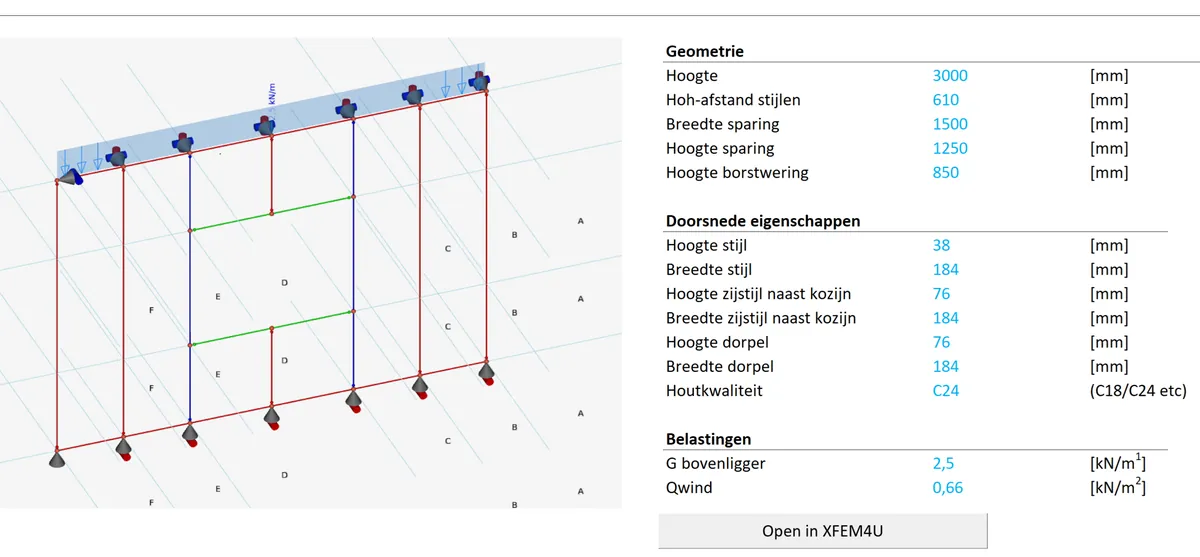
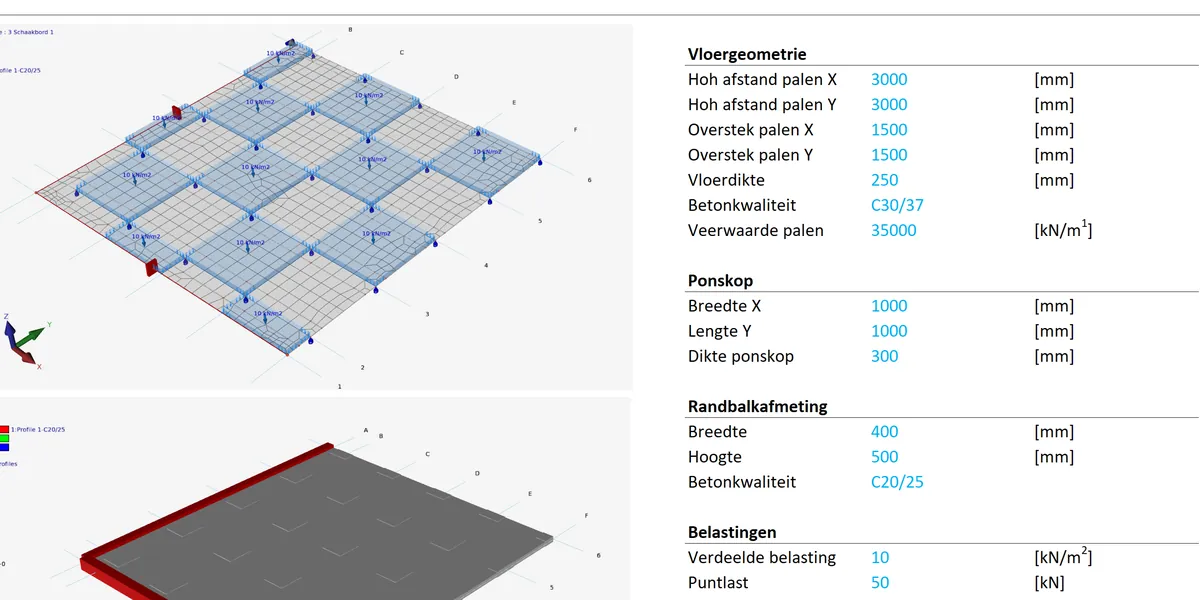
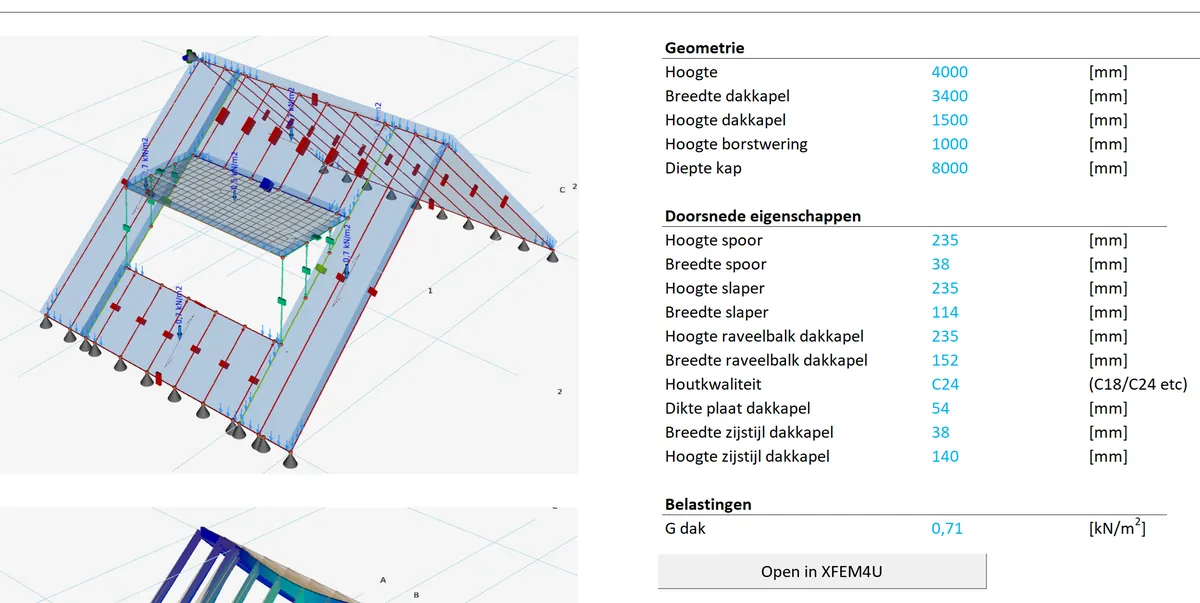
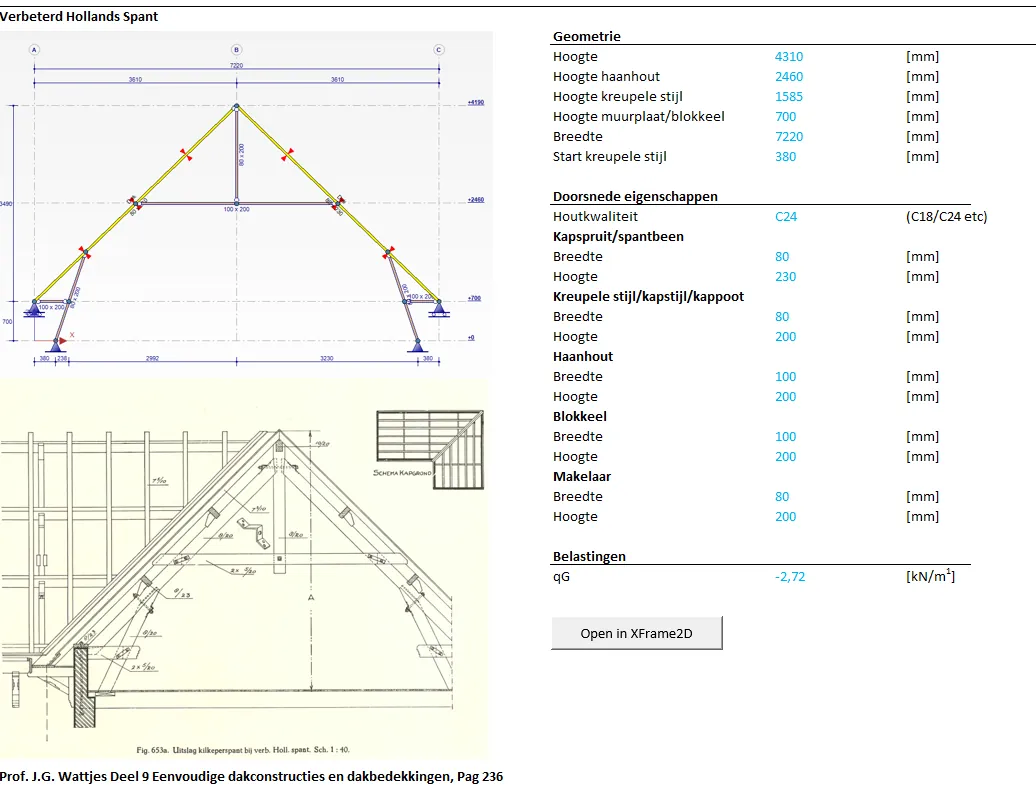
Workbook as published on our download server.
What you need to know.
| File | An Excel workbook with macros (.xlsm), 6 MB, updated 26 July 2026. It isn’t signed: if Excel blocks the macros, right-click the file, choose Properties and tick Unblock. |
|---|---|
| Needs | Microsoft Excel, and XFrame2D or XFEM4U to calculate the model. The programs run on Windows. |
| Language | The workbook follows the language set in the program: English, Dutch, German, Spanish, Italian, Norwegian and Portuguese. |
| Price | Free download. The calculation runs in XFrame2D (€12/hour) or XFEM4U (€15/hour) on pay-per-use, or in your licence: XSpreadsheets counts in the 2D tier, from Basic 2D at €1,770/year. |
VideoXFrame2D and Excel DirectCommands (opens in a new tab) · How a spreadsheet drives XFrame2D.
Questions
01Does XSpreadsheets calculate the structure?
The workbook builds the model. The analysis, the Eurocode checks and the report come from XFrame2D or XFEM4U.
02What does it cost?
The workbook is a free download. You pay for the program that calculates the model: €12 per hour for XFrame2D or €15 for XFEM4U on pay-per-use, or nothing extra in a licence, from Basic 2D at €1,770 per year.
03Which language is it in?
The language you set in the program: English, Dutch, German, Spanish, Italian, Norwegian and Portuguese.
04Can I make my own modules?
Yes. You can build your own parametric spreadsheets.
Start from a sheet, finish with a checked model.
Download the workbook, and XFrame2D or XFEM4U free. Register in the program and get €100 of pay-per-use credit as a welcome gift.