Parametric modelling · Python
Python: build your models from code
Write a script, run it, and XFEM4U opens the model. Struct4U.py, our Python library, generates nodes, supports, profiles, beams, plates, loads and combinations: almost everything you can do in XFEM4U, you can also do in Python. XFrame2D takes parametric input from Python too.
PYPython→XFEM4U · XFrame2D
python2xfem4u.zip, 15 kB: Struct4U.py and ExamplesXFEM4U.py. Manual: PDF, 19 pages, 1.7 MB. Both updated 14 March 2025.
The model reaches XFEM4U through DirectCommands, which also lets Excel open XFEM4U and XFrame2D.
Write a script. Run it. There is your model.
Don’t be afraid, just try it: in no time you will know your way around the functions.
- 1
Write your script
In a Python editor of your choice, such as Visual Studio Code or PyCharm. Add Struct4U.py to the project and start from ExamplesXFEM4U.py.
- 2
Run it
Struct4U.py builds the model and hands it to XFEM4U. ExamplesXFEM4U.py first asks which example you want to see.
- 3
XFEM4U opens it
Start or switch to XFEM4U, and there is your model: ready to calculate, check and report.
Method names as in Struct4U.py. The class is XFEMF4U, with an F, as in the manual’s examples.
From nodes to load combinations.
Struct4U.py has a method for each part of the model. The manual describes every one, with its parameters.
Project and geometry
XFEMF4U- The model itself: description, project number, consequence class (CC1, CC2 or CC3) and design working life.
AddGrid- Grid lines, written as in XFEM4U: "0 4x3000 2000".
AddNode- Nodes, by their coordinates, with a support if you give one. At coordinates already taken, you get that node back.
AddSupport- Supports: fixed, pinned, a roller in X, Y or Z, a hinge, or your own per direction, with springs.
Profiles, members and plates
AddSteelProfile- Steel profiles: a name from XFEM4U’s library, or a shape of your own (H, U, T, RHS, CHS, L and more).
AddConcreteProfile- Concrete profiles: grades C12/15 to C90/105, shapes S1 to S20.
AddBeam- Beams and columns, with end restraints (fixed, hinged or tension only), lateral supports, a rotation and an offset.
AddPlate- Plates on a polygon of nodes, with a material, a thickness and an offset.
AddPanel- Load panels on a polygon of nodes: the load-bearing direction (all, X or Y) and the surface type (wall, flat roof, mono-pitch or duo-pitch roof …).
Loads and combinations
AddCase- Load cases: permanent, imposed (categories A to H), snow, wind, temperature, imperfection and more, with their ψ factors.
AddNodeLoad- Forces and moments on a node.
AddBeamLoadQAddBeamLoadFAddBeamLoadM- Distributed loads, point loads and moments on a beam.
AddSurfaceLoad- Surface loads: constant, linear, or from a water height.
AddCombination- Combinations of up to five load cases: ULS, SLS, quasi-permanent, permanent or frequent.
Give number 0 and Struct4U.py numbers the part for you. Each method returns the number it made, or -1 when it fails.
Code from the manual, pages 10 and 11; the last line as in ExamplesXFEM4U.py.
A spiral staircase, from one loop.
From the manual: a steel spiral staircase around a central column. Each pass of the loop adds a step, its load and the stringer to the step below; two turns of 15 steps give 31 steps.
PythonStruct4U.py
xfem = XFEMF4U("Example in Python","12345", ConsequenceClass.CC2, 100, "")
# …
optrede = 200
ltrede = 1200
ntrede360 = 15
alpha = 360.0 / ntrede360
nspil = 2
a = 0
x = 0
y = 0
z = 0
xfem.AddSteelProfile(1,"HFCHS2191X125","S235")
xfem.AddSteelProfile(2,"HFRHS100X50X4","S235")
xfem.AddSteelProfile(3,"S200x10","S235",90)
k1 = xfem.AddNode(0,x,y,z,SupportType.Fixed)
z = optrede
vnode = 0

for i in range(nspil*ntrede360+1) :
    x = ltrede * cos(a * pi/180)
    y = ltrede * sin(a * pi/180)
    node1 = xfem.AddNode(0,0,0,z)
    node2 = xfem.AddNode(0,x,y,z)
    beam = xfem.AddBeam(0,node1,node2,2)
    xfem.AddNodeLoad(1,node2,0,0,-10)
    # …
    a += alpha
    z += optrede
    if vnode!=0:
        beam = xfem.AddBeam(0,vnode,node2,3)
    vnode = node2

k2 = xfem.AddNode(0,0,0,z,SupportType.Roll_Z)
xfem.AddBeam(0,k1,k2,1)
# …
xfem.Save2XFEM4U("spiral_stairs")
The Dutch names are the manual’s: optrede is the rise of a step, ltrede the length of a step, ntrede360 the steps per turn, nspil the number of turns. Lengths in mm, loads in kN. Left out at # …: the grid and the load cases, a line load on each step, and the combinations.
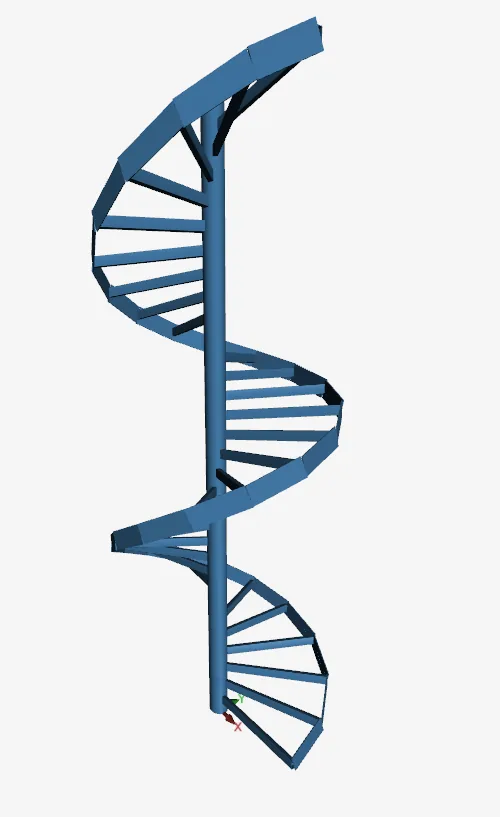
Made with Python.
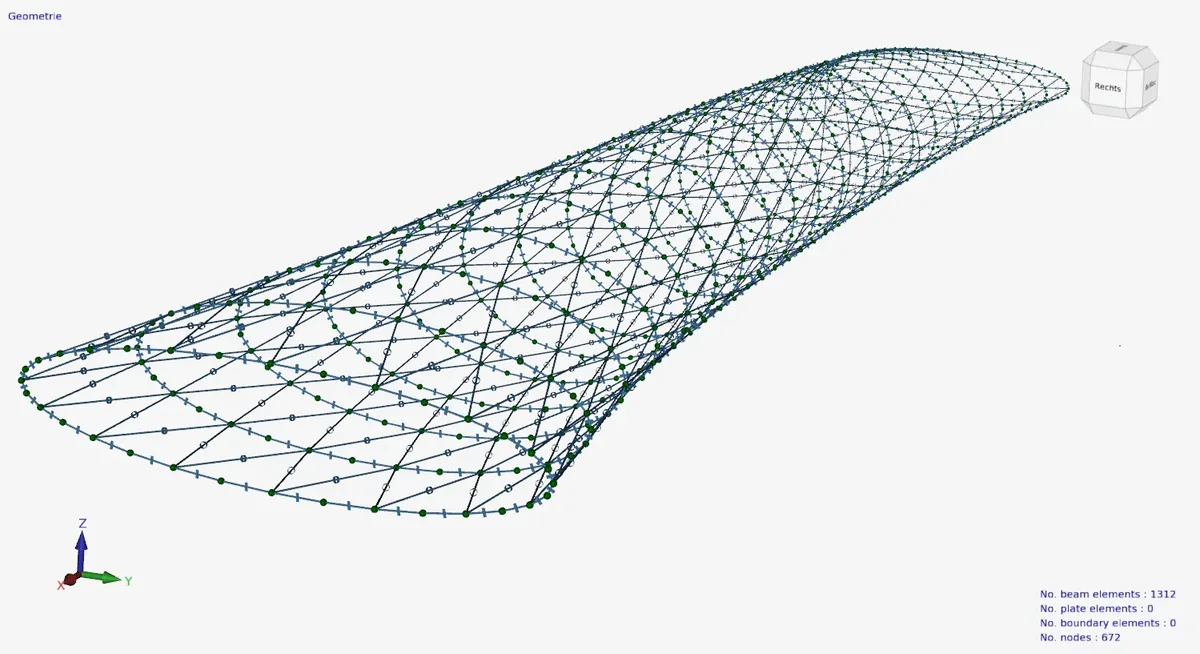
Models from the manual and our newsletters, each generated by a script and opened in XFEM4U.
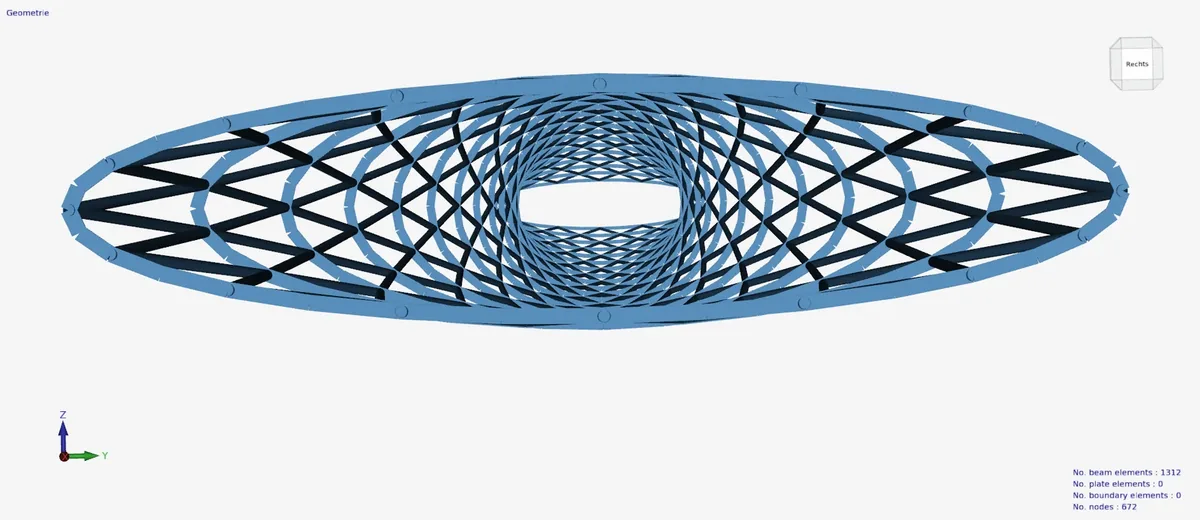
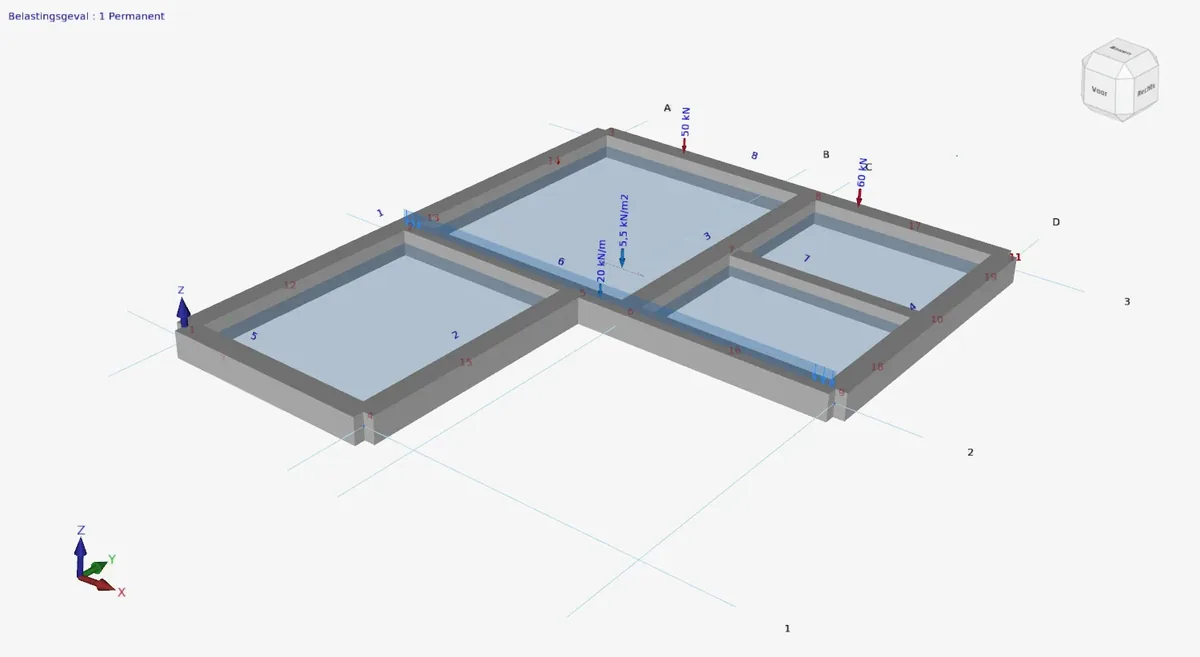
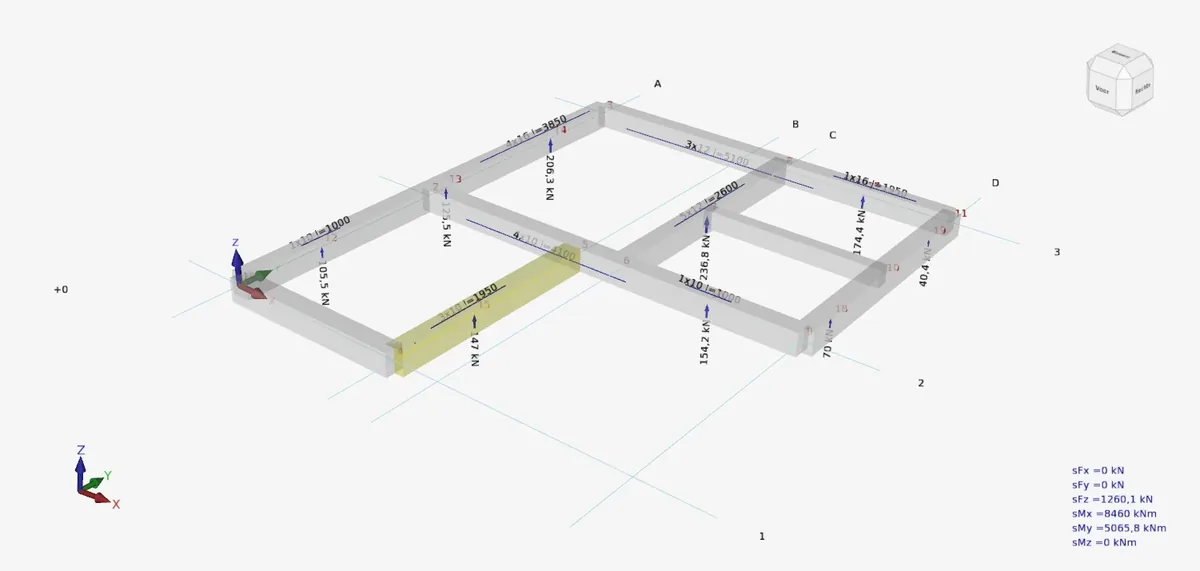
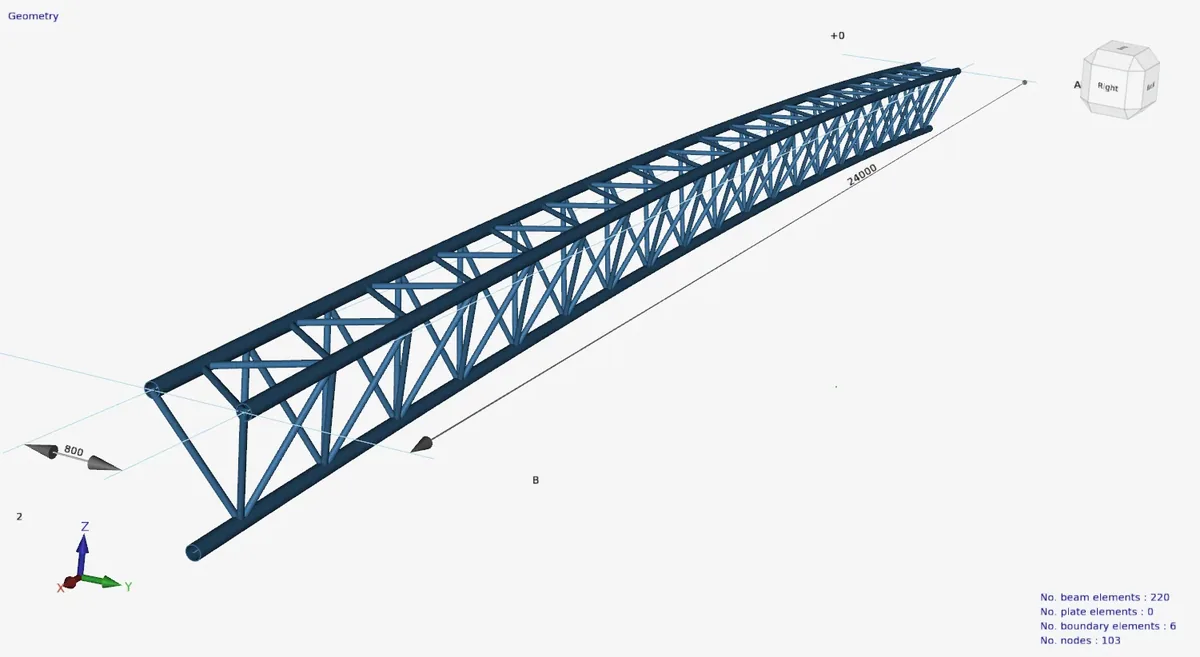
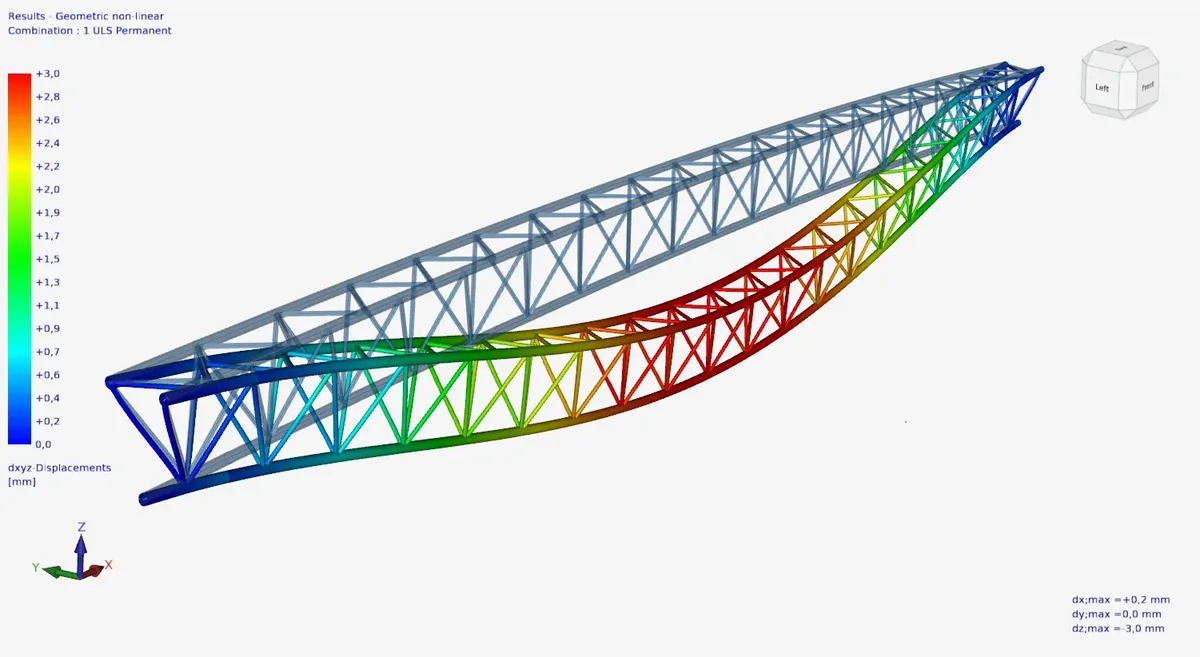
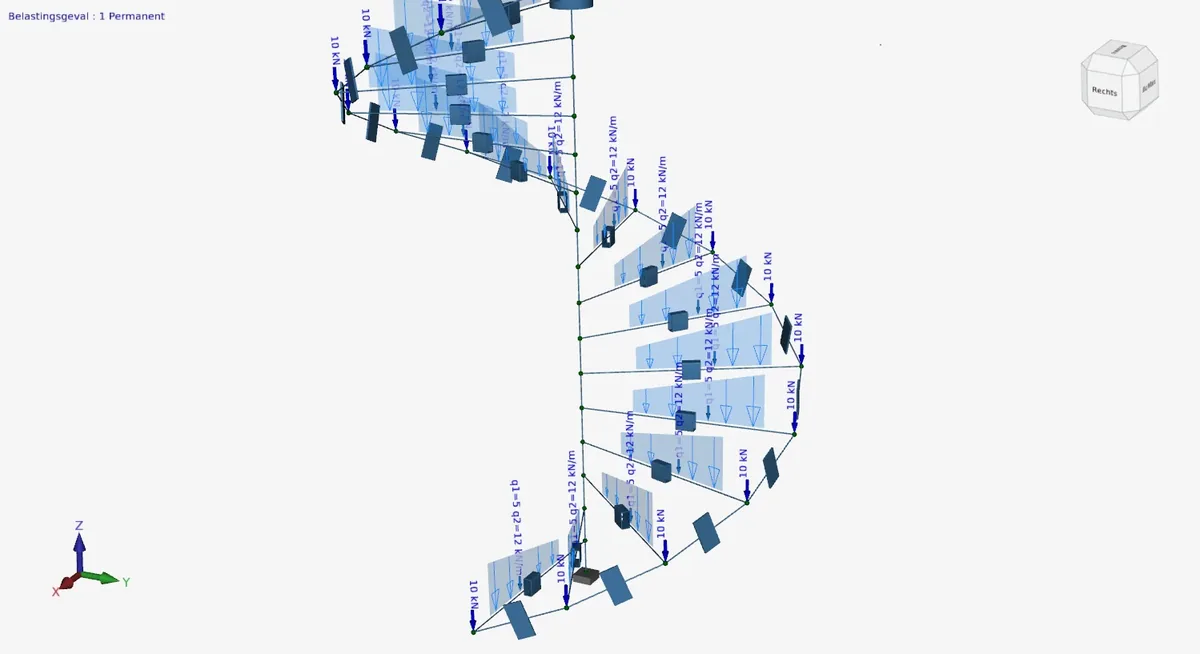
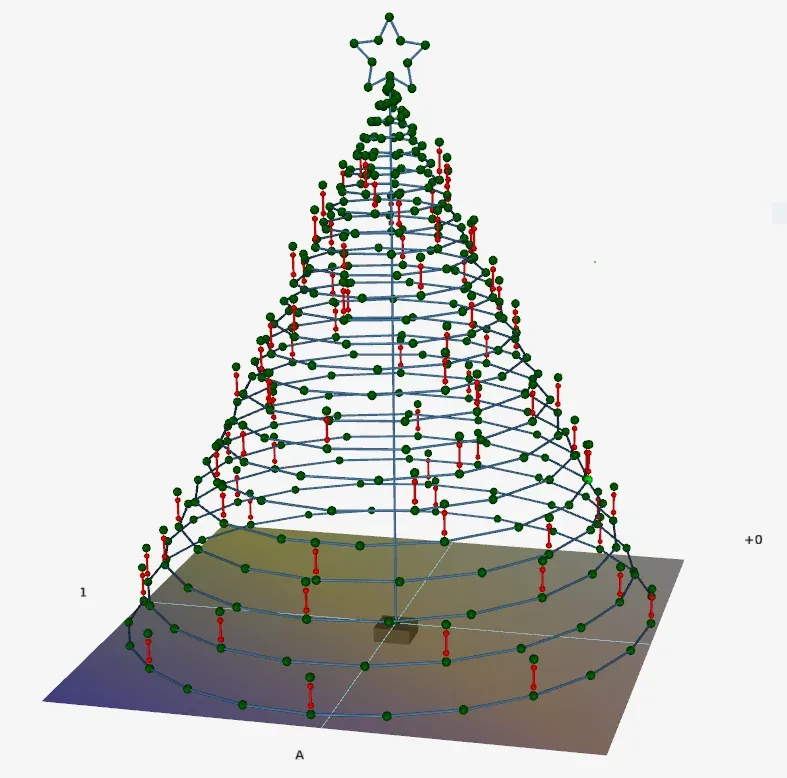
In the words of our newsletters of June 2024 and January 2025.
Python or XSpreadsheets?
Two ways to build a model from parameters. Which suits you depends on what you build, and on whether you like to program.
XSpreadsheets · Excel
- Ready-made modules in an Excel workbook: fill in the numbers and open the model.
- Quickly generates the most common 2D and 3D structures.
- Many structural engineers find programming in Python rather complicated. Excel, on the other hand, they know well.
- Parametric input from Excel is in every licence, from Basic 2D.
Python · Struct4U.py
- Your own script, with the methods of Struct4U.py.
- Take on anything, and generate the most complex 2D and 3D structures.
- With Python you can do so much more: parametrise, but also generate a complicated part of your structure.
- The Premium 2D + 3D licence, or included with pay-per-use.
The newsletters are in English and Dutch.
Manual, examples and training.
Manual
Questions
01Which programs does it work with?
XFEM4U and XFrame2D both take parametric input from Python. Struct4U.py, its manual and the examples build XFEM4U models; for XFrame2D, ask us how to start.
02What do I need?
XFEM4U on Windows, Python with an editor such as Visual Studio Code or PyCharm, and the zip on this page: add Struct4U.py to your project and start from ExamplesXFEM4U.py.
03Which licence do I need?
Python comes with the Premium 2D + 3D licence, €2,688 a year for a single user, or is included with pay-per-use. Parametric input from Excel, with XSpreadsheets, is already in Basic 2D.
04How does the model get into XFEM4U?
Save2XFEM4U writes the model as an XML file to your temporary folder and tells XFEM4U, through DirectCommands, to open it. Start or switch to XFEM4U and the model is there.
05Does the order of the calls matter?
Yes. Struct4U.py checks your input as you add it: a beam can only use nodes and a profile that already exist, and a load needs its load case. A method returns the number it made, or -1 when it fails.
06Can I get a training?
Yes, Python training is available on request. Contact us.
Build your next model from code.
Download Struct4U.py with its manual and examples, and XFEM4U free. Register in the program and get €100 of pay-per-use credit as a welcome gift.