There is a new release (version 5.10.01) available of our 3D program XFEM4U.
Click here to install the new release.
On release notes you will find an overview of all changes
The most important new features:
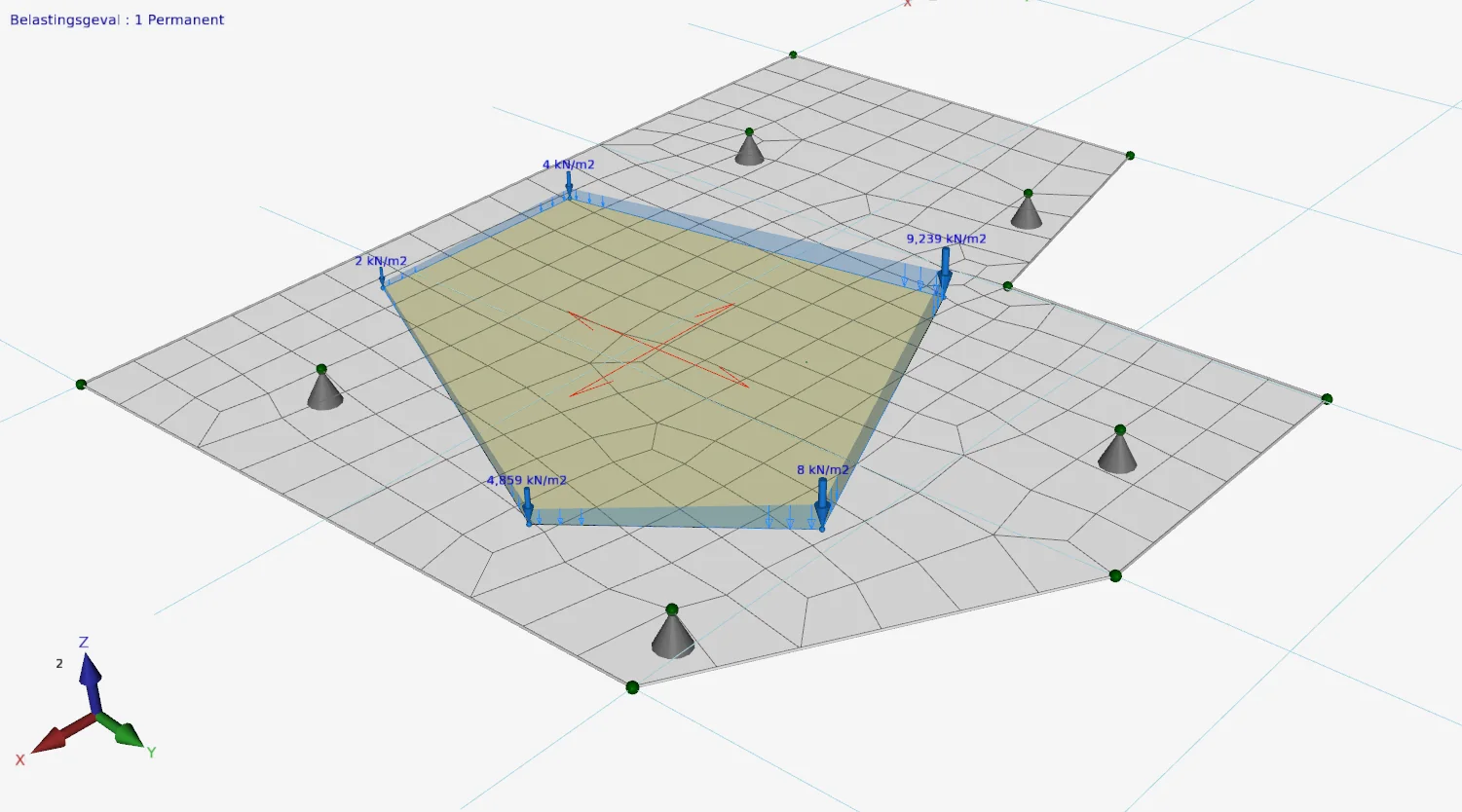
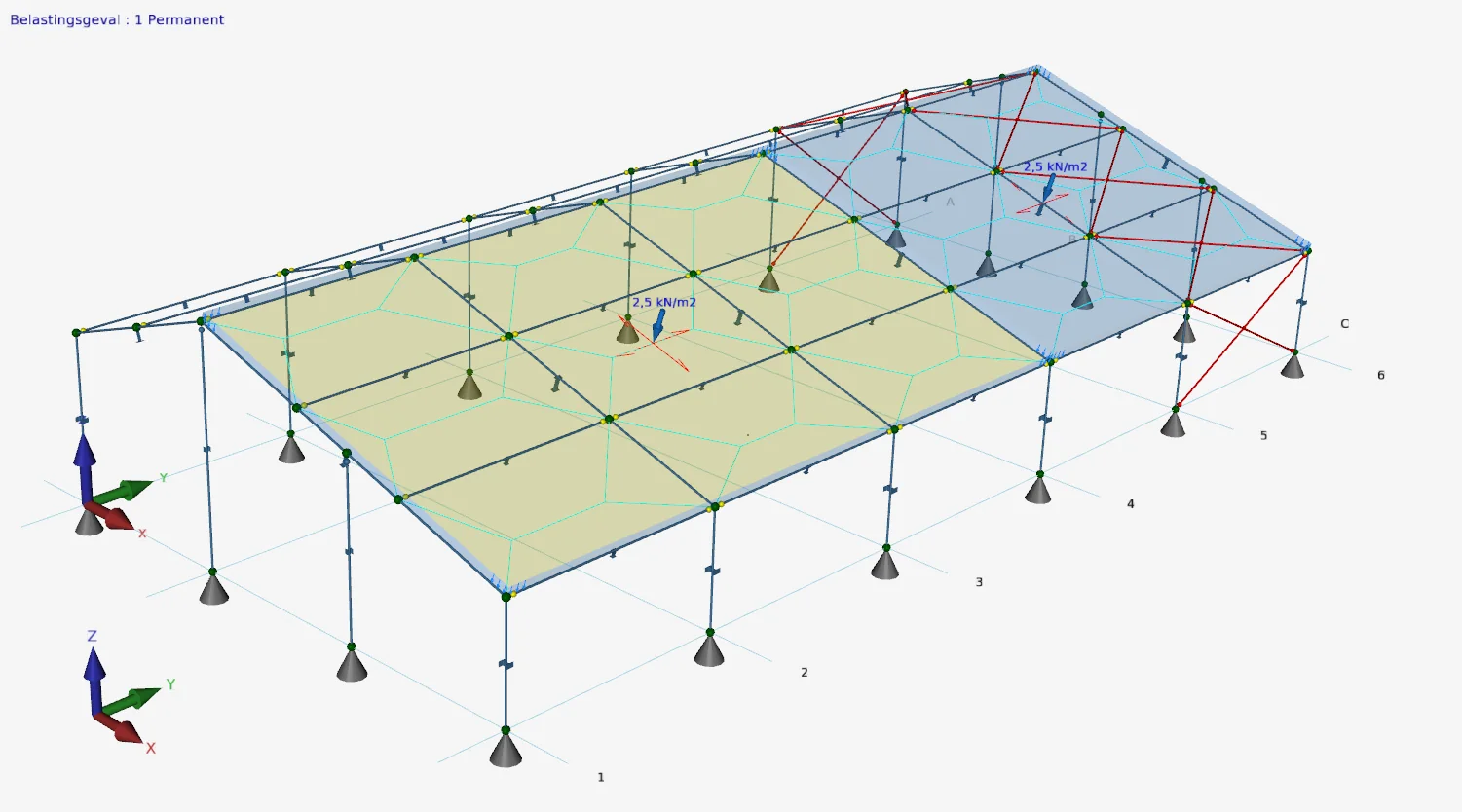
1. New Surface loads on slabs and walls
Of course, it was already possible to enter any surface loads for beam structures. From this, all beam loads are automatically generated.
New is that you can now use these surface loads for plates and walls as well. It is also possible to enter a linear gradient surface load. This is done by entering the load value in 3 selected points. You can enter for example a water or soil pressure on a wall, or a wind pressure over a high construction.
2. New DXF as an underlay
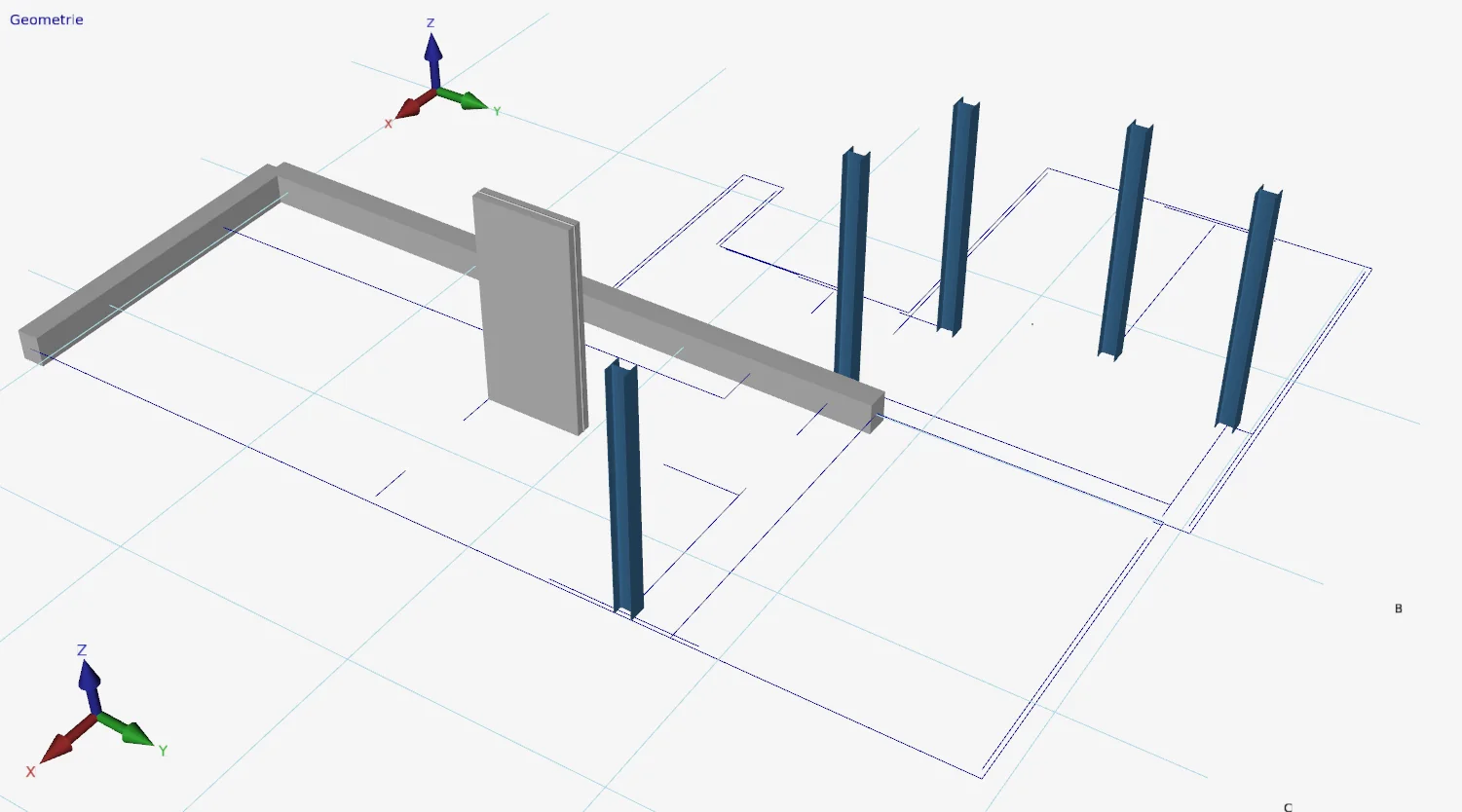
During an online training, Daan asked us the question, "Isn't it possible to use a DXF file as an underlay? After all, all those distances are already in my AutoCad drawing."
It turned out to be an excellent suggestion! Struct4U was able to provide this quickly and relatively easily. Thank you, Daan!!! Struct4U will make many more customers happy with this.
3. New Copying beam loads
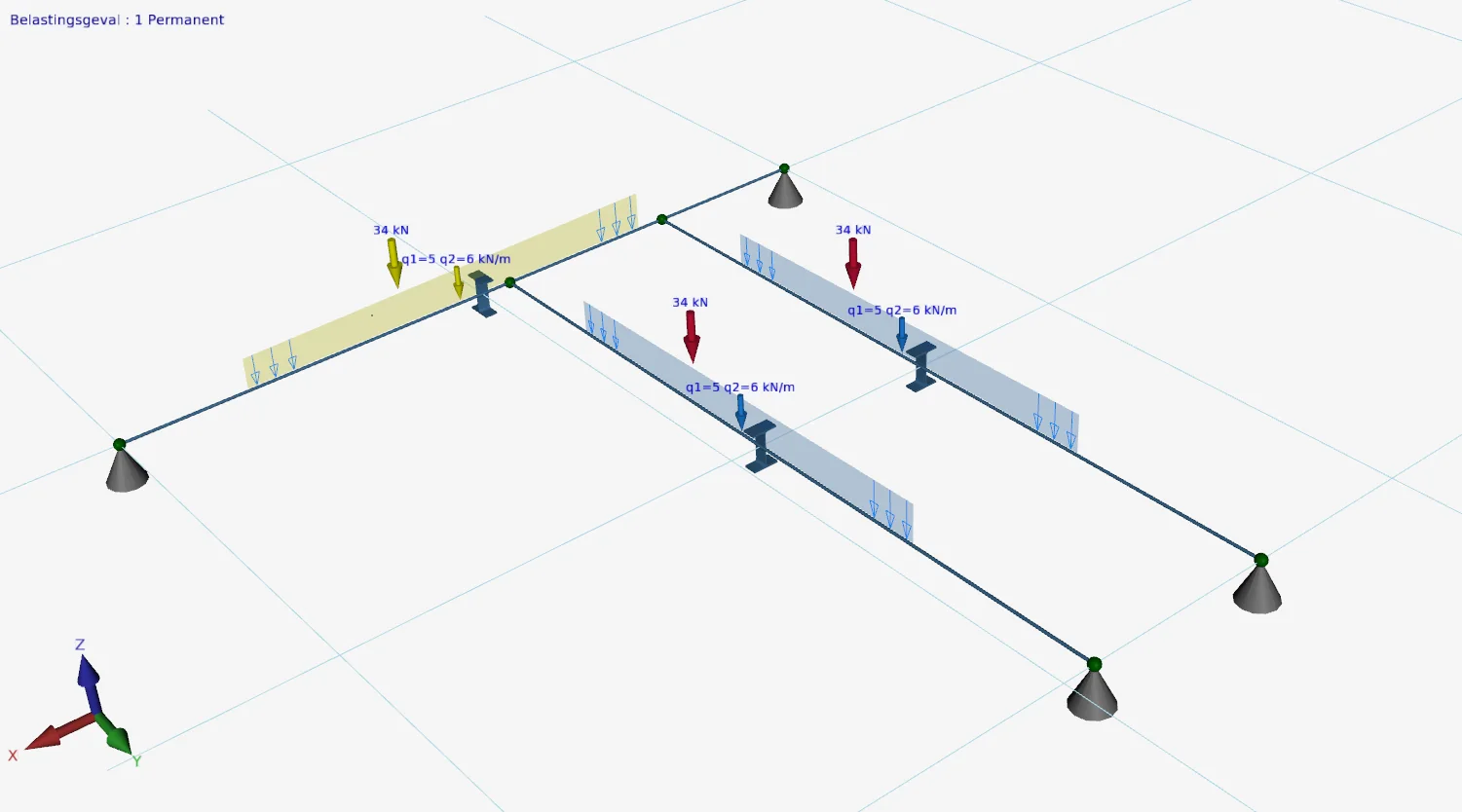
It is now possible to copy beam loads to one or more beams.
How? Select the beam load(s), choose Copy and click on the beam(s) to which the load should be copied.
Click here to install the new XFEM4U version (5.10.01) immediately.
In release notes you will find an overview of all changes.
To stay up to date with the latest developments you can follow us on Linkedin.