As you know, we have developed a lot in recent years. And Struct4u will continue along this path together with you. Together with you, because your input is crucial. You too help shape our programs. By offering criticism, but also by coming up with suggestions and areas for improvement. Please continue to do so! All our programs are developed by us in the Netherlands, so we are 100% in control and can therefore respond to your wishes.
There is a new release available of our 3D program XFEM4U 2027.2.
Click here to install the new release (2027.2.01).
On release notes you will find an overview of all new features and improvements
The most important new features:
1. New .NET10 is provided
2. New Startup dialog box
When starting up, the last model was opened by default. Especially with large models, opening and visualizing them can take some time. This has now been improved.
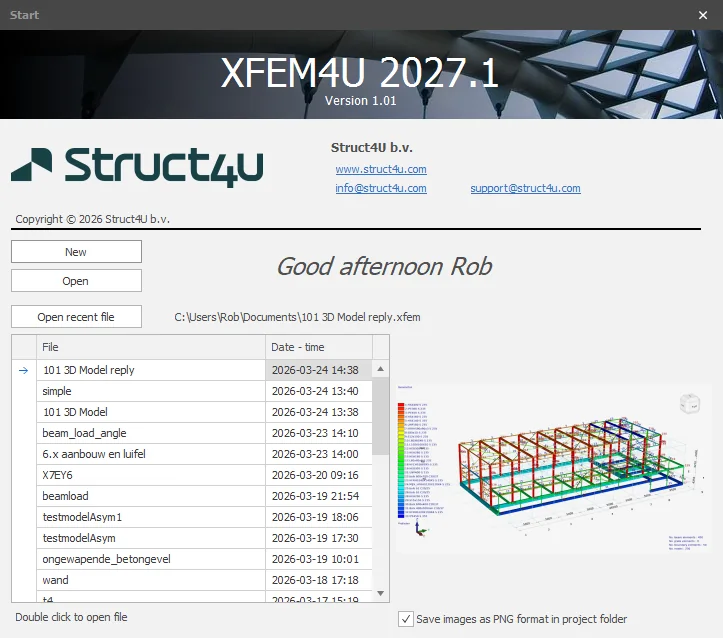
A new dialog box now opens with the option to open a recent model or start with a new model. All recent models are now displayed in a table sorted by date and including an image, making searching even easier.
3. New Beam loads
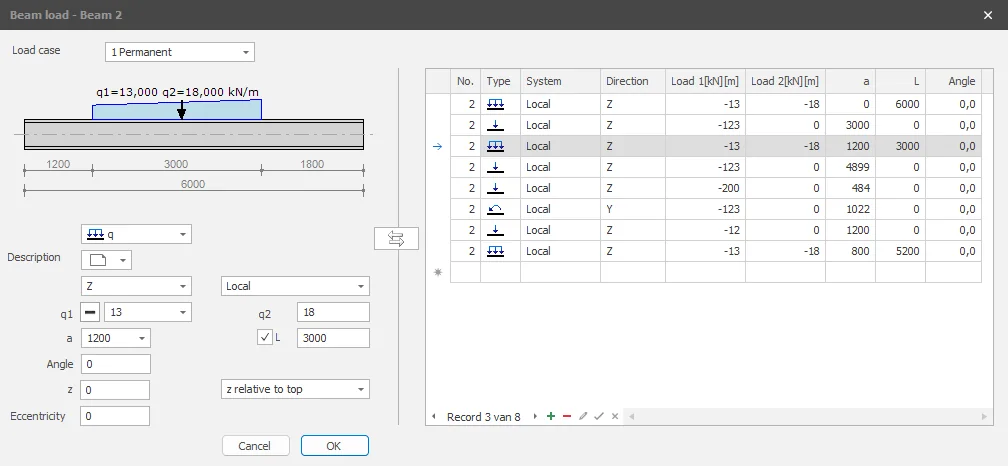
The dialog box for beam loads has been expanded with a table on the right-hand side. This table lists all beam loads on the beam. This makes it even easier and, above all, faster to add and/or change beam loads.
Note: You do not have to use the table. You can use it if you want to. The screen is collapsed by default, but you can expand it to make the table visible. It is collapsed by default, but the program remembers how you have set it when you reopen it.
4. New Generate multiple views from a single camera position
Creating views is quite labour-intensive and therefore time-consuming. In close consultation with the customer, we have greatly improved this process.
A wizard button has been added that allows you to generate different views from a single camera position. If necessary, you can rotate the model and use the wizard to generate views again. Of course, you can always change or delete these views.
This allows you to quickly and easily create views that you can then include in your report.
Wondering how easy that works? Click here for a demo.
5. New NEN-EN 1992-1-1+C2:2011+A1:2015/NB+A1:2020+A2:2025
The Dutch national annex NEN-EN 1992-1-1+C2:2011+A1:2015/NB+A1:2020+A2:2025 is provided.
6. New The stirrups distances
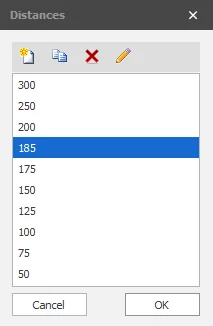
The stirrups distances that can be selected in the design are standard 300, 250, 200, 175, 150, 125, 100, 75, and 50. What is new is that these values can now be set by the user.
7. Improved Beam load at an angle
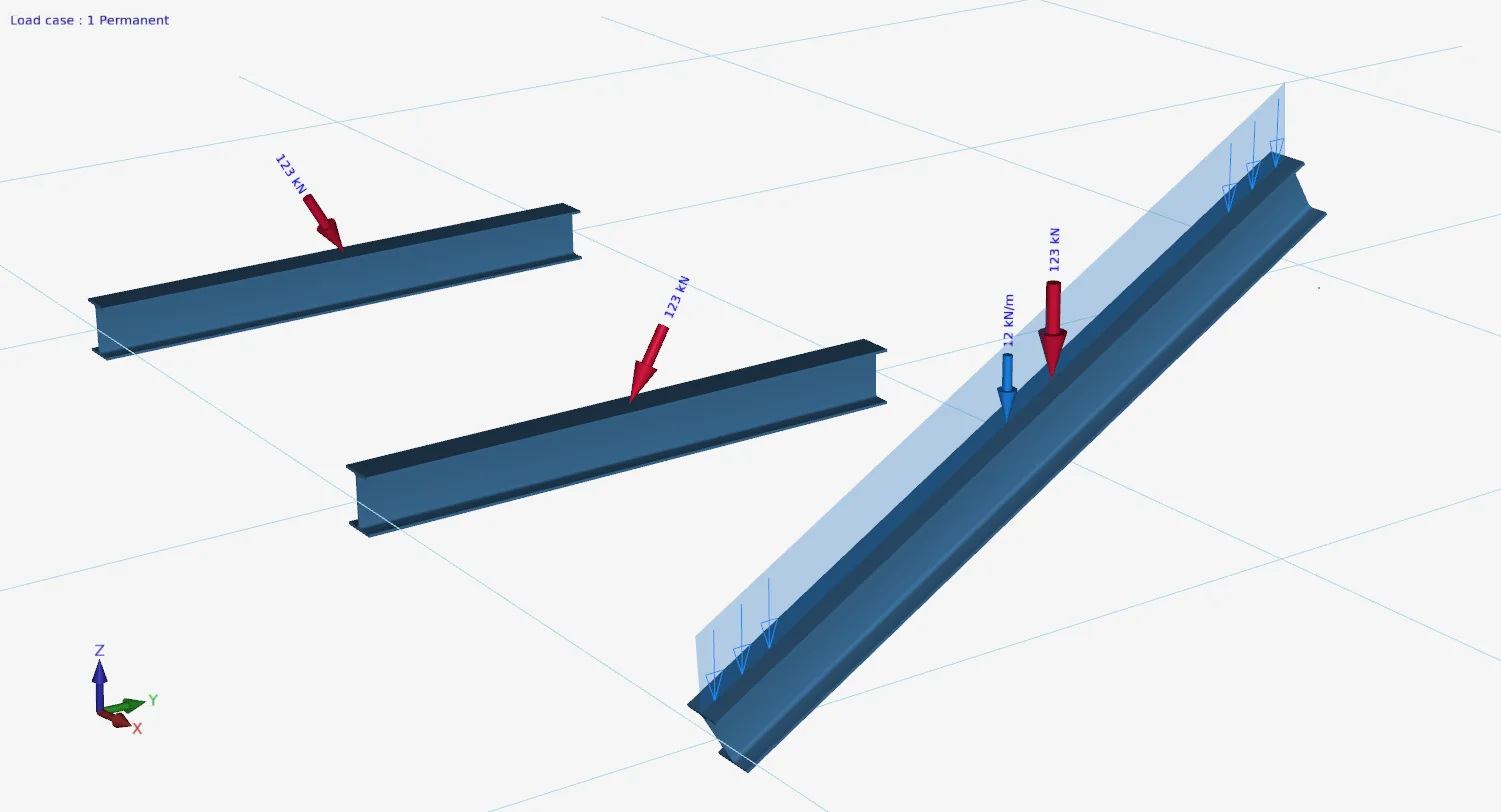
Beam load at an angle was not drawn correctly in the 3D view. This has been resolved. (help desk #1446, #2025, #3121)
To stay up to date with the latest developments you can follow us on Linkedin.