There is a new release (version 4.06) available of our 3D framework program XFrame3d.
Click here to install the new release.
On release notes you will find all new features and improvements.
The most important improvements:
1. Automatic backup's
When you save a project, XFrame3d makes a backup copy of the previous version of the project (that is, the project file before the current storage). The name of this backup is "<project name>.<nnnn>.xfr3", where <nnnn> is a 4-digit number that indicates how often the file is saved. The backup files are located in the same folder as the project file. A maximum of 3 backup files are saved.
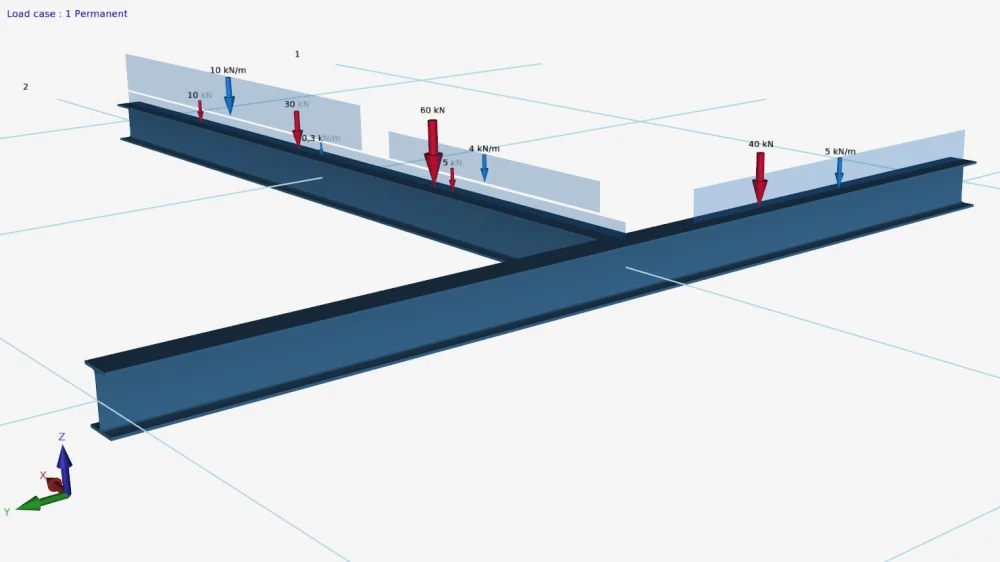
2. Loads drawn "scaled"
All loads are drawn "scaled". A large or small load therefore stands out better so that you can check your loads even more easily.
3. Memory problem solved
When working in a large model for a long time, a memory problem (lack of internal memory) could arise. This problem is solved in this new release.