There are new releases available of
- XFrame2D 2024.2 download release notes
- XBeam2D 2024.2 download release notes
The most important new features:
1. New Beam loads graphically
It is now possible to drag all beam loads graphically (using the mouse) and in the case of a q-load also to extend them. This supports snapping to points every 10 mm but also to other beam loads. This works very intuitively. You can now enter or adjust beam loads even easier and faster.
How does it work? Watch this demo.
2. New Look-and-feel
The user interface has a new look and feel. Modern and functional. We are now using the new "skin" which renders its elements with vectors. This means resolution independence and sharp rendering on Hi-DPI displays. This is not only nice to work with but also less tiring. It is also possible to set the colours yourself.
The menu will contain more items. To keep it clear for the user, the menu groups Geometry and Loads are automatically minimized depending on which tab is active. All to make the user-friendliness of the software even better.

3. New XML export / import
It is now possible to export the model including load cases (including beam and node loads) and combinations to an XML file as well as import from an XML file.
4. New Gridlines and levels
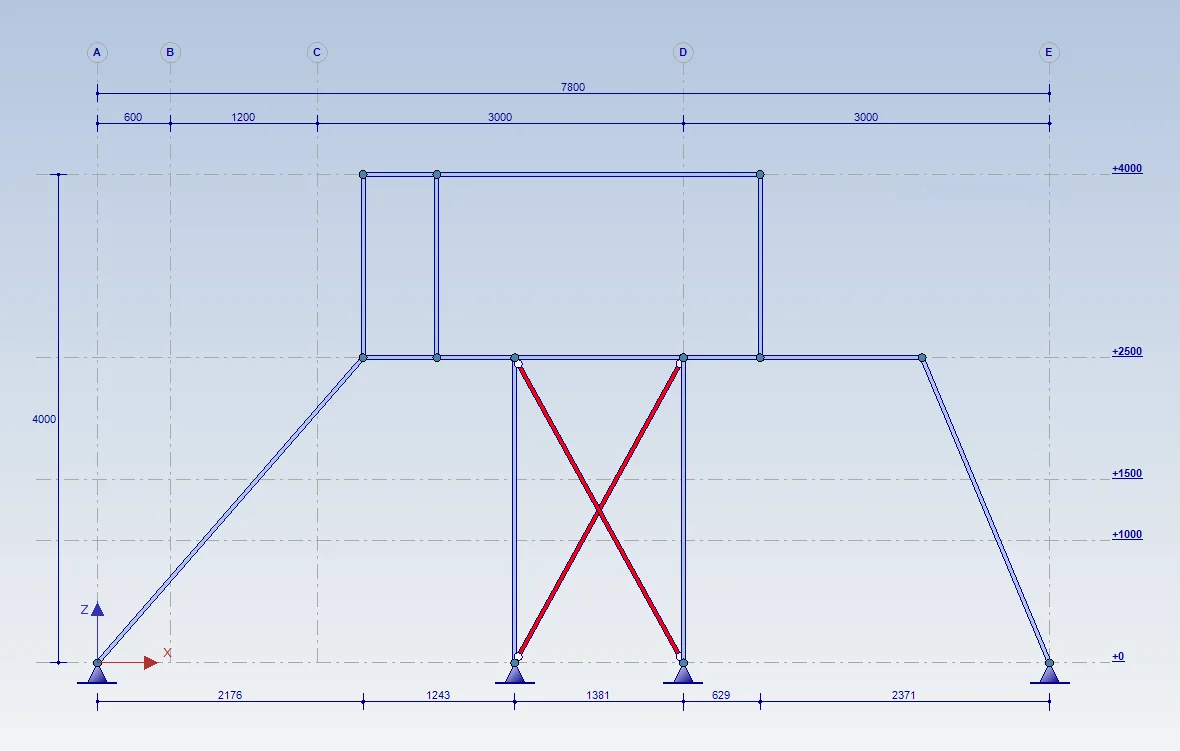
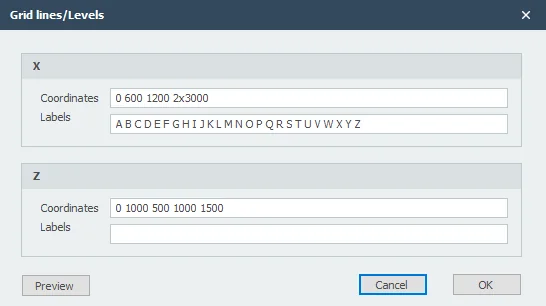
Gridlines and levels are now entered in a separate dialog as in XFEM4U. The grids are drawn with a bullet including dimension lines. You can enter the labels of the levels yourself or have them drawn automatically.
5. Improvement Mouse wheel
Zooming with the mouse wheel has been improved. You also no longer need to press the control key. With the scroll wheel pressed, you can now pan.
6. New Multiple copies and Mirror
With the new menu option "Multiple Copies" beams can easily be copied multiple times as in XFEM4U. And with the new menu option "Mirror" beams can easily be mirrored or flipped as in XFEM4U.
How does it work? Watch this demo.
To stay up to date with the latest developments you can follow us on Linkedin.