There is a new release available of our 3D program XFEM4U 2024.3.
Click here to install the new release (2024.3.01).
On release notes you will find an overview of all new features and improvements
The most important new features:
1. New Hinged connection in plates
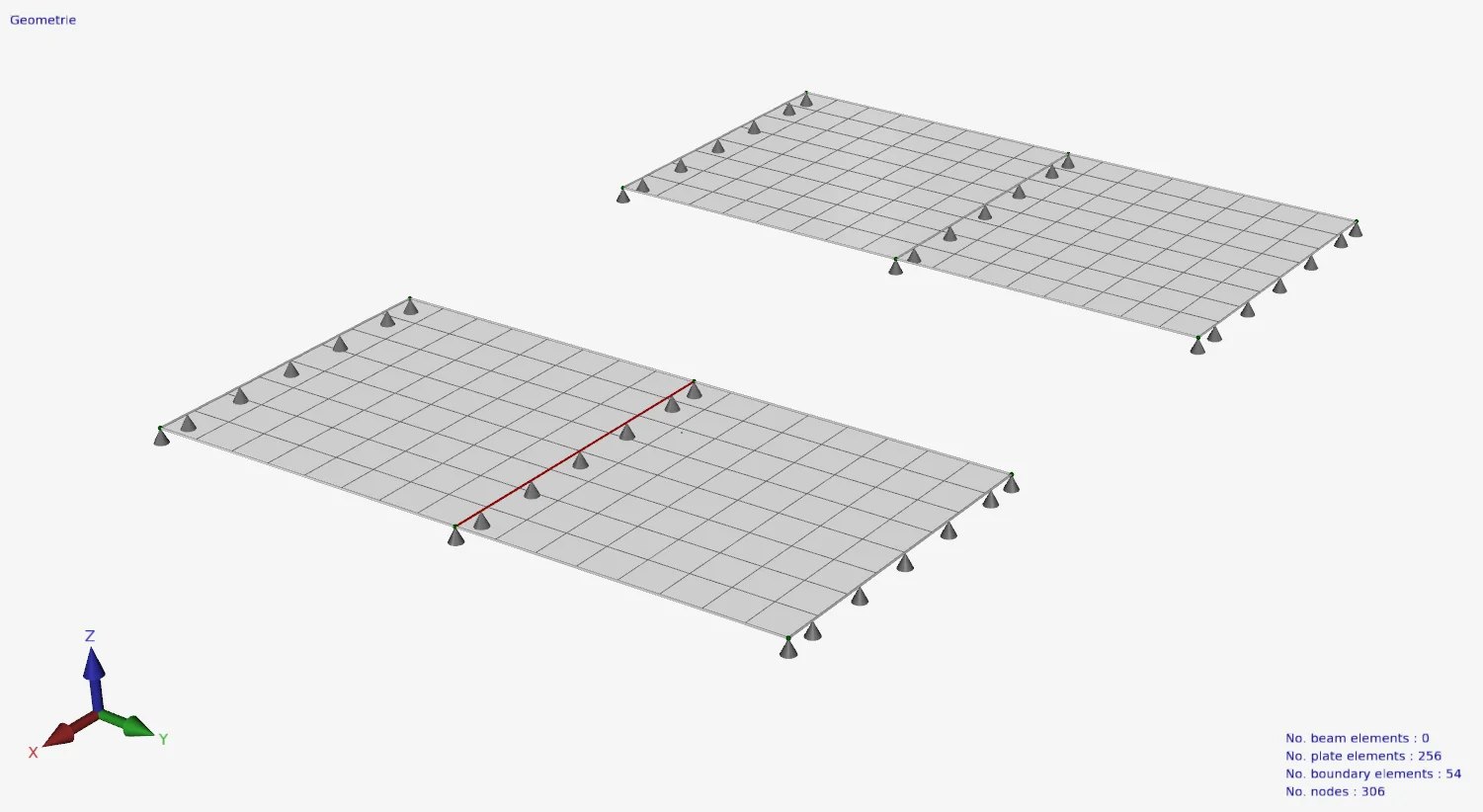
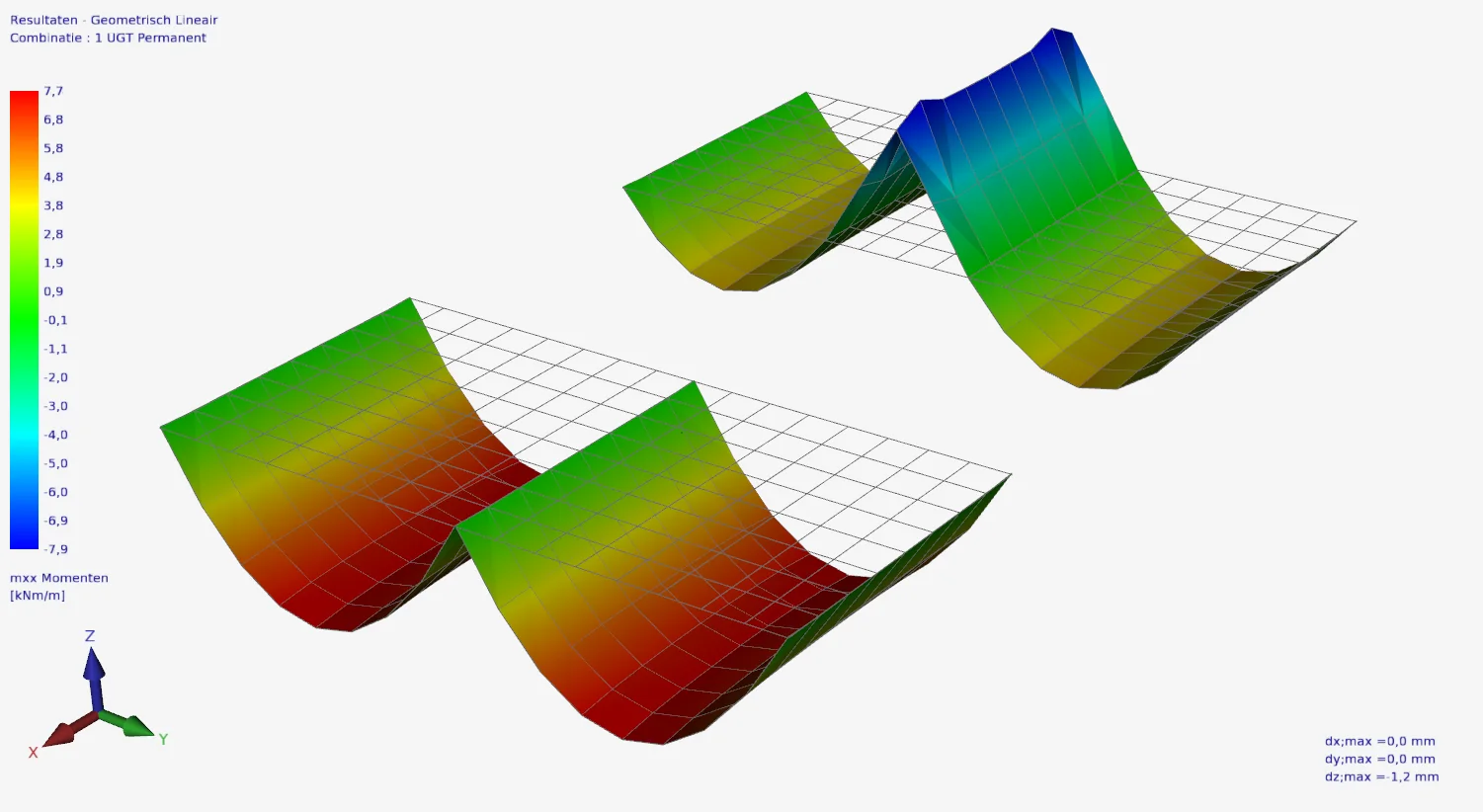
Plate elements were always calculated as continuous and moment fixed. New is that plate edges can be entered and calculated as hinged.
How does it work? Watch the demo here.
2. New Guide Line
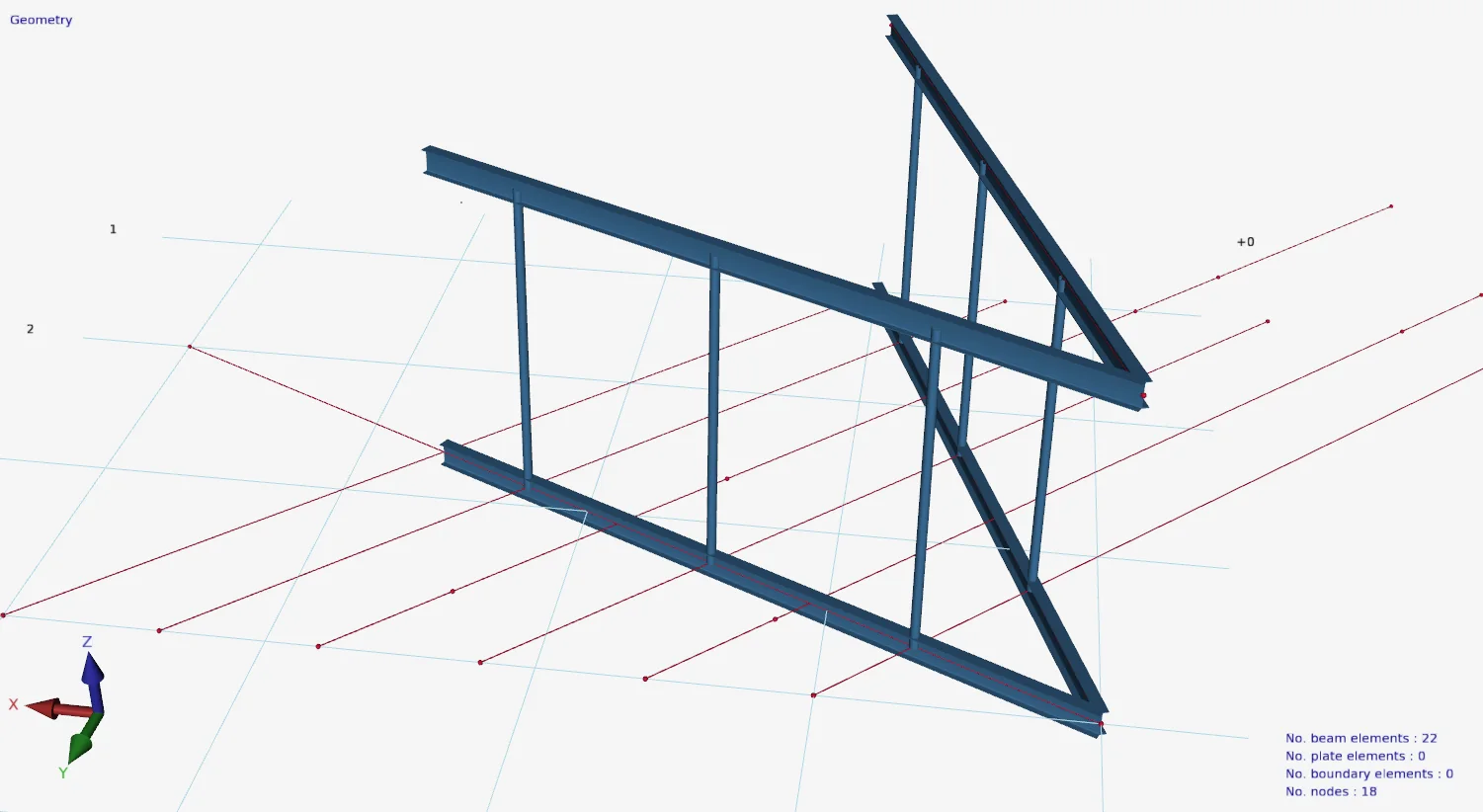
A new menu option "Guide Line" has been added. Drawing guide lines is very simple and works identically to drawing beams. Guide lines can be very convenient when entering your construction. A display option has been added so that you can show or hide these guide lines.
How does it work? Watch the demo here.
3. New Look-and-feel
The user interface has a new look and feel. Modern and functional. We are now using the new "skin" which renders its elements with vectors. This means resolution independence and sharp rendering on Hi-DPI displays. This is not only nice to work with but also less tiring. It is also possible to set the colours yourself.
The menu will contain more items. To keep it clear for the user, the menu groups Geometry and Loads are automatically minimized depending on which tab is active. All to make the user-friendliness of the software even better.

4. Improvement Menu option USL/SLS
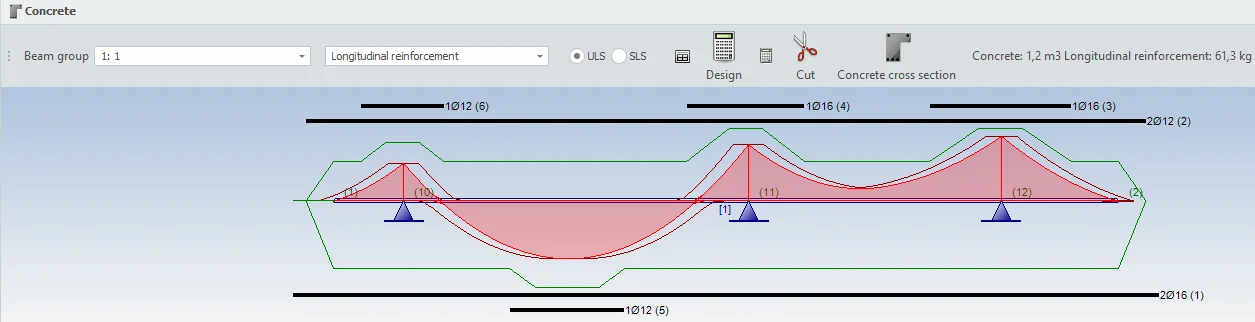
In the dialog box where the reinforcement is drawn, a new menu option (radio button) has been added that allows you to switch between ULS and SLS envelopes. This allows you to quickly check if the reinforcement meets strength and cracking requirements.
To stay up to date with the latest developments you can follow us on Linkedin.