There is a new release available of our toolbox XConstruct 2025.1.
Click here to install the new release (2025.1.01).
On release notes you will find an overview of all new features and improvements
The most important new features:
1. New User defined materials
As in XBeam2D, XFrame2D and XFEM4U it is now possible to enter user defined materials (steel, concrete, rebar and timber) as well. How? Very simple. Copy one of the standard materials. Give it its own name and adjust its properties. It is not possible to modify the default Eurocode materials but you can define and add your own material. Then you can use this material in other programs as well. The materials are saved in an XML file so you can put that on the network and share the materials database with your colleagues.
2. New Side reinforcement
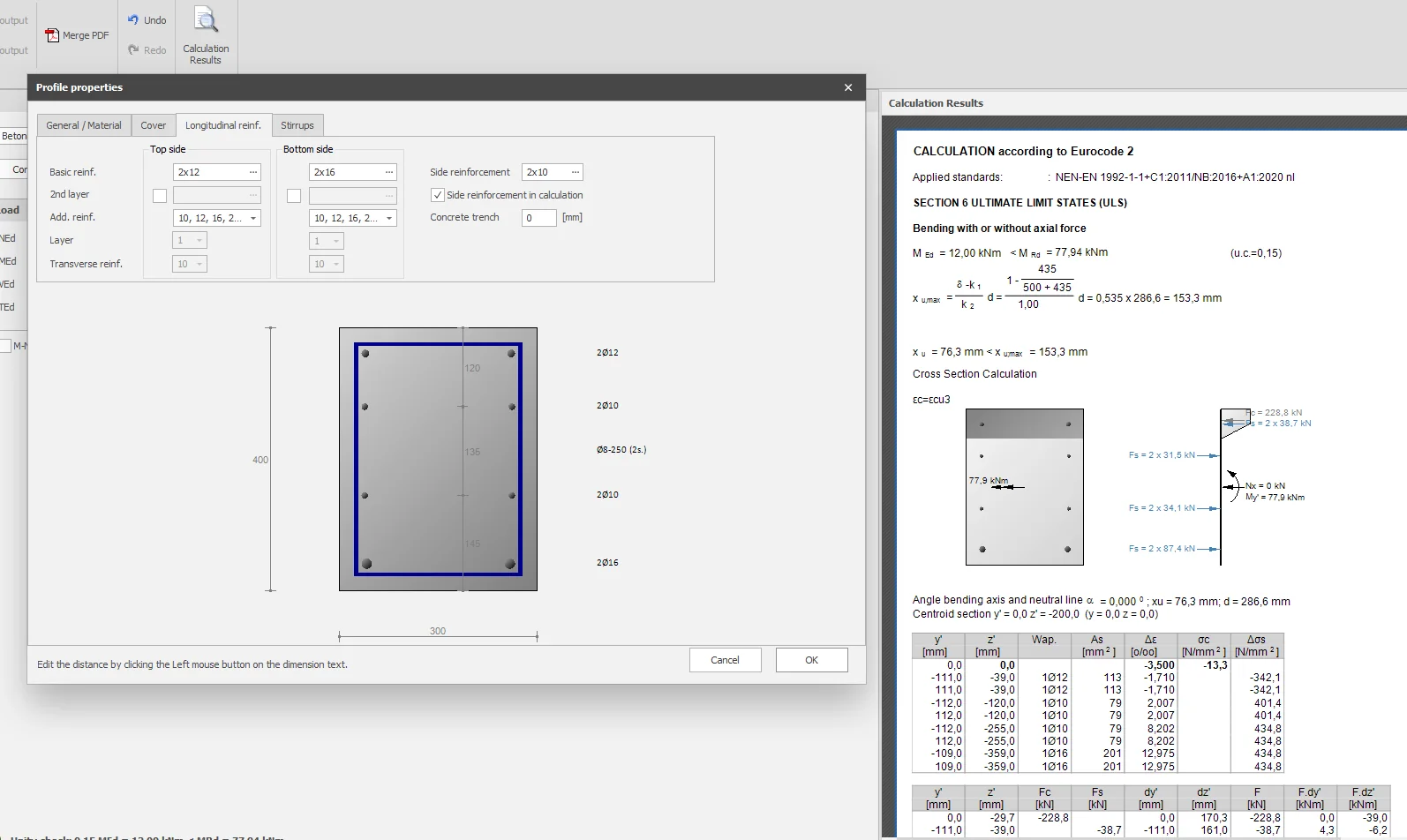
Module Concrete Section: It is now possible to enter side reinforcement. The user can set whether that side reinforcement should be included in the calculation of the resistant moment or not. By default, it is set off.
The location of the side reinforcement bars can be easily adjusted by clicking on dimension lines between the bars.
With this new and also unique functionality, moment capacity can be significantly increased. The prerequisite, of course, is that those side bars are also properly anchored and that those reinforcement bars are not punctured. You are the structural engineer and you can therefore set whether or not to include those side bars in the calculation.
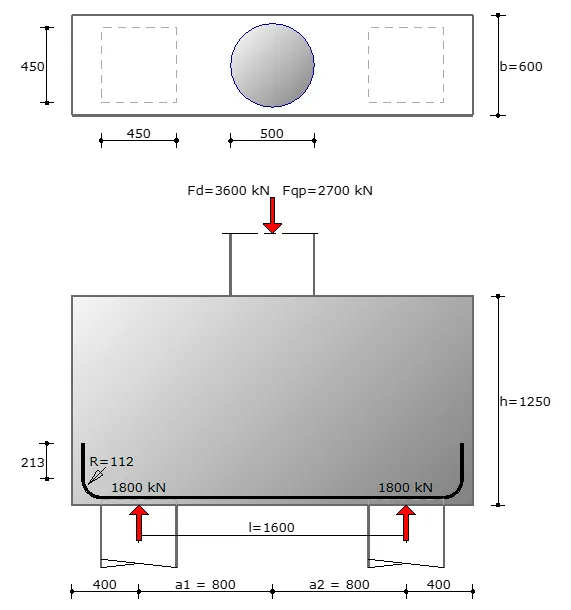
3. New module: Pile cap with 2 piles
With this module you can design a pile cap with 2 piles. The user interface is unique and very user-friendly. By clicking on the numbers in the dimension lines you can adjust the dimensions.
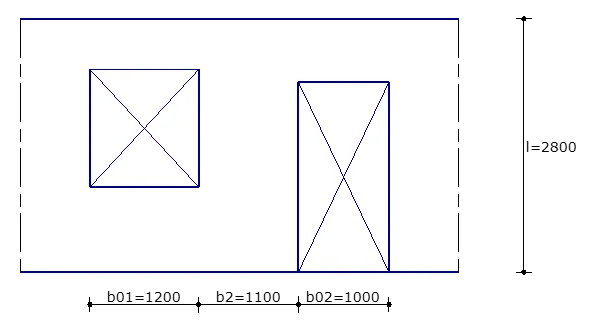
4. New module: Calculation of a cavity wall according Dutch NPR 9096
With this module you can quickly and easily check a cavity wall for wind load. The test is according to clause 6.3.3 Walls loaded by wind of NPR 9096-1-1:2012 nl. The figures 17 and 18 are digitized.
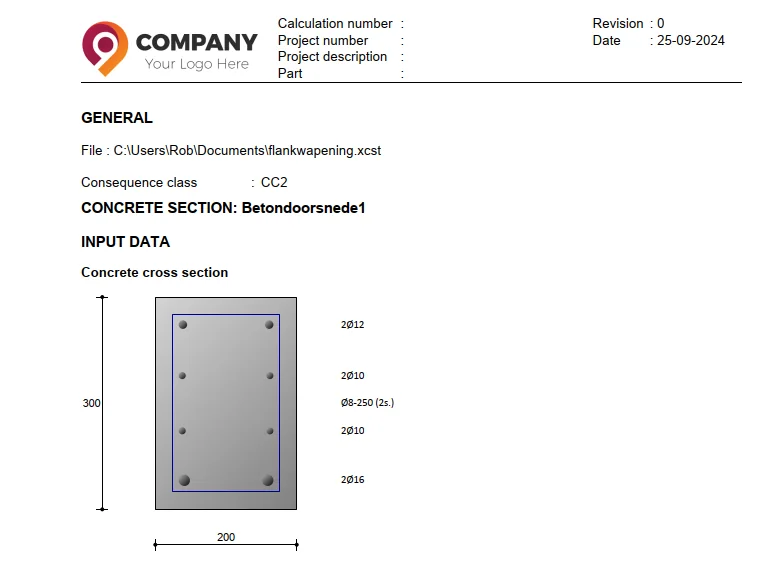
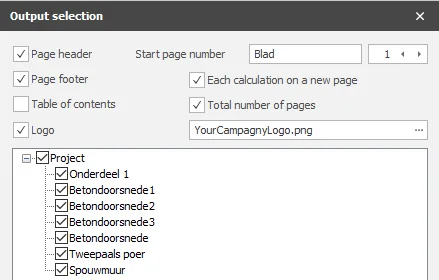
5. New Your compagny logo in reports
It is now possible to include your company logo in the page header. Including your company logo in reports is obviously important in building and strengthening your brand identity. It contributes to a professional appearance, increases brand recognition, protects your corporate identity, and even offers marketing benefits.
To stay up to date with the latest developments you can follow us on Linkedin.