There are new releases available of
- XFrame2D 2025.4 download release notes
- XBeam2D 2025.3 download release notes
The most important new features:
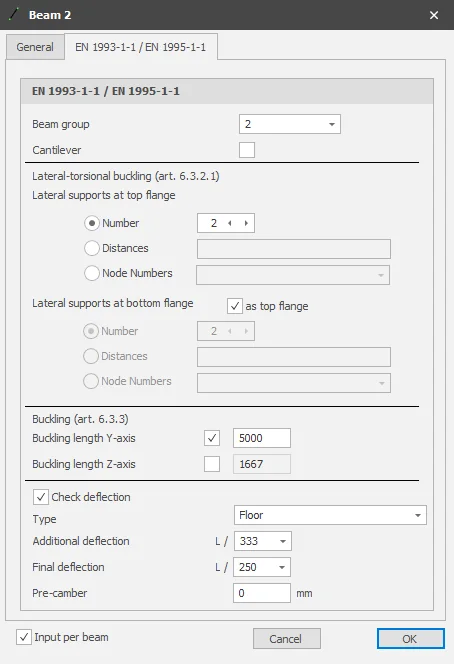
1. Further refined: Buckling length around y-axis
As you know, in XFrame2D and XFEM4U the steel, timber and concrete design checks are based on a geometrically nonlinear (GNL) analysis (2nd order analysis) where imperfections (initial sway imperfections) are also automatically taken into account. This is an accurate calculation method and is applicable for any (portal) structure. Sway or braced/non-sway frames.
And that has a lot of advantages.
- The analysis is more accurate. In general, it also leads to a more economical design.
- Euler buckling is taken into account in the analysis itself. If the structure buckles mechanically, then you don't find a solution.
- You are freed from (sometimes very questionable) buckling length calculations. Buckling lengths are not properly calculated in all cases and are certainly not load independent.
- You no longer have to choose the type of framework, sway or braced/non-sway. This too is often questionable. If you use GNL then it follows from the analysis itself whether the structure is 2nd order sensitive or not.
- Adjacent loads can easily be taken into account.
- Testing according to the Eurocode is simpler and responds well to an algorithm (but here the programmer speaks).
Yet in our Eurocode check buckling is assessed. Why actually? How is that?
According to Eurocode EN 1993-1-1 art. 5.2.2 (7) a) no individual stability check for the members according to 6.3 is necessary if second order effects in individual members and relevant member imperfections (see 5.3.4) are totally accounted for in the global analysis of the structure. (Global initial sway imperfections and relatively initial local bow imperfections of members for flexural buckling).
In XFrame2D, the global initial sway imperfections according to art. 5.3.2 (3) a) are taken into account automatically. However, the relatively initial local bow imperfections of members for flexural buckling according to art. 5.3.2 (3) b) are not.
This means that the individual stability of the elements must be checked according to 6.3, whereby the buckling length may be set equal to the system length. According to art. 5.2.2 (7) b). By applying a geometric nonlinear analysis, the moments and forces are of course including all second-order effects.
In almost most cases (99%) it is sufficient to set the buckling length equal to the system length. Occasionally, you may even want to set the buckling length smaller. And you can do that just like in XFEM4U now also in XFrame2D.
2. New Soil pressure shallow foundation
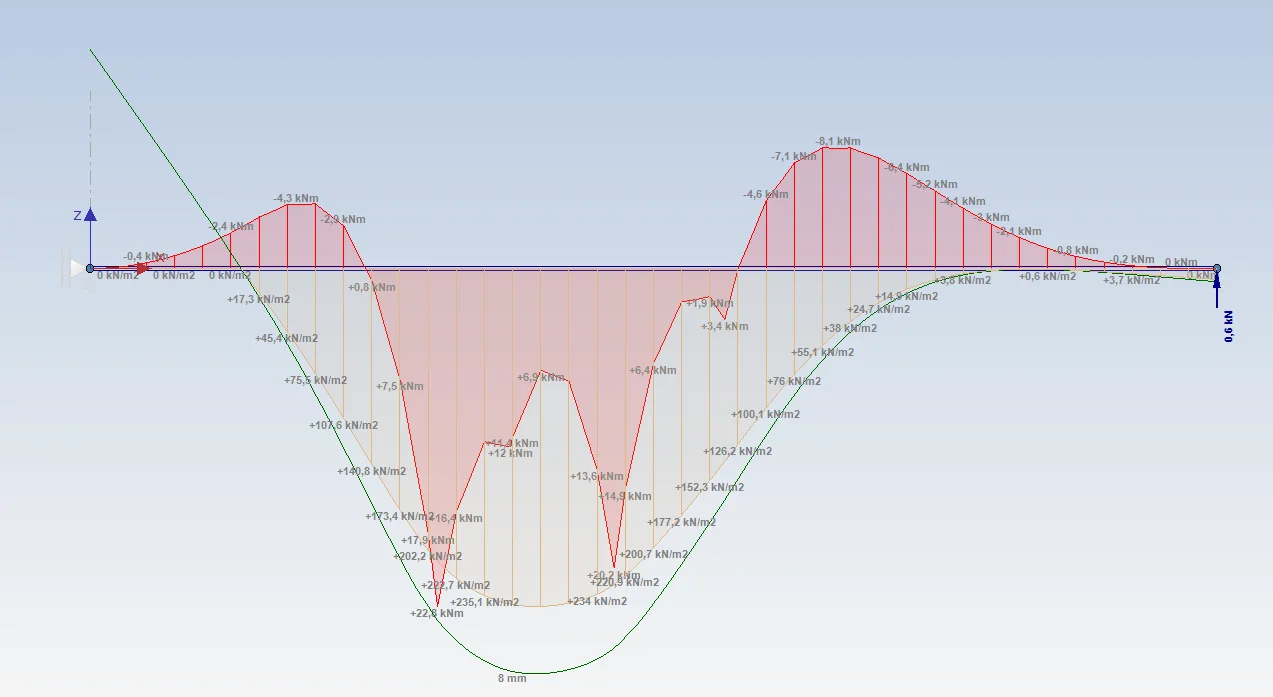
For beams on elastic foundation (Shallow foundation), it is now possible to graphically display the soil pressure. And that's super practical. Because you can immediately see the size of the largest soil pressure and where it occurs. And just like the bending moment diagram, it is possible to show the envelope soil pressure diagram as well.
3. New Side reinforcement bars
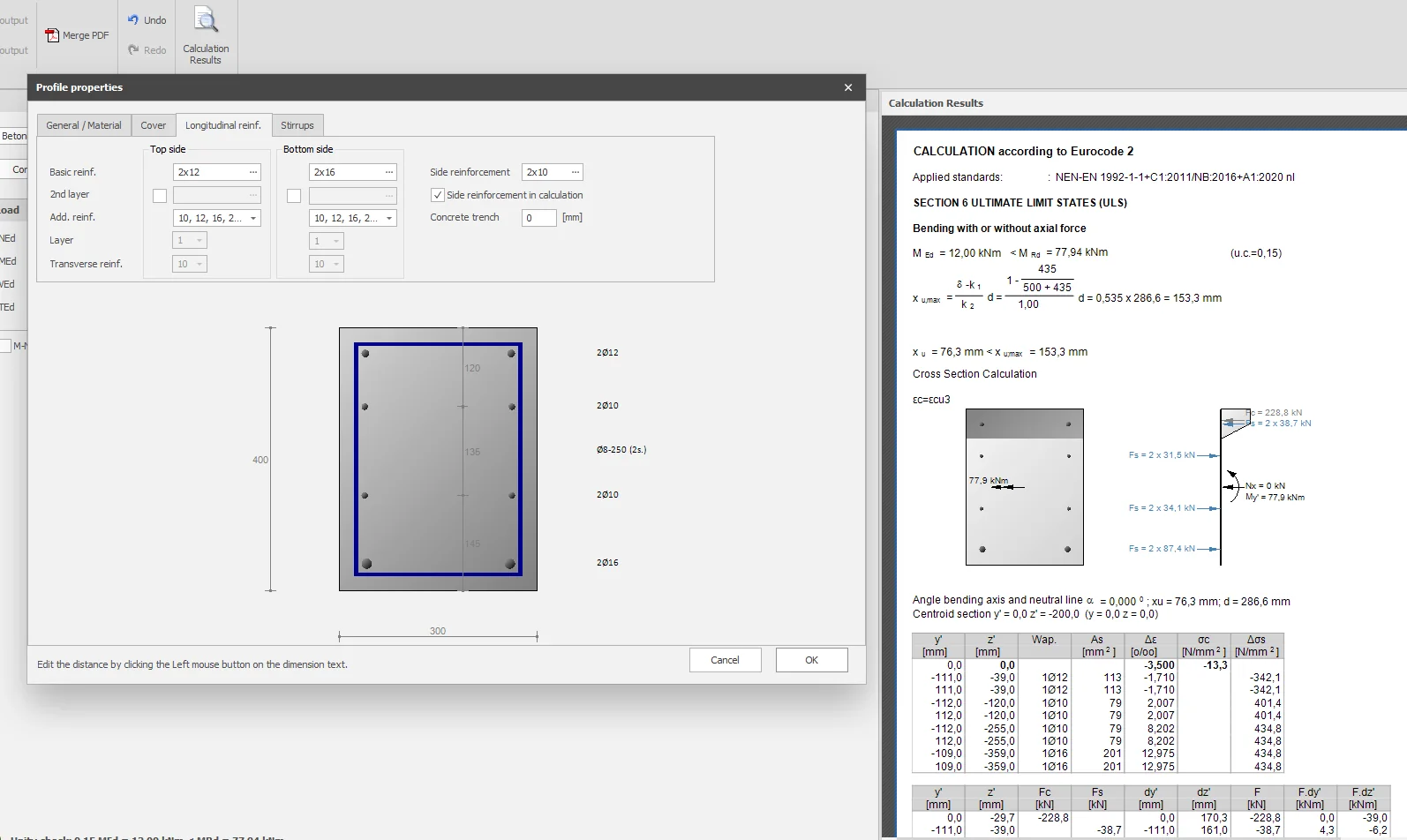
In XBeam2D it is now possible to enter side reinforcement bars as well. The user can set whether that side reinforcement should be included in the calculation of the resistant moment or not. By default, it is set off.
The location of the side reinforcement bars can be easily adjusted by clicking on dimension lines between the bars.
With this new and also unique feature, moment capacity can be significantly increased and less or perhaps no additional reinforcement is needed. The condition, of course, is that those side reinforcement bars are also properly anchored and that the reinforcement is not pierced. You are the structural engineer, so you can set whether or not to include those side bars in the calculation.
4. New Your Compagny logo in reports
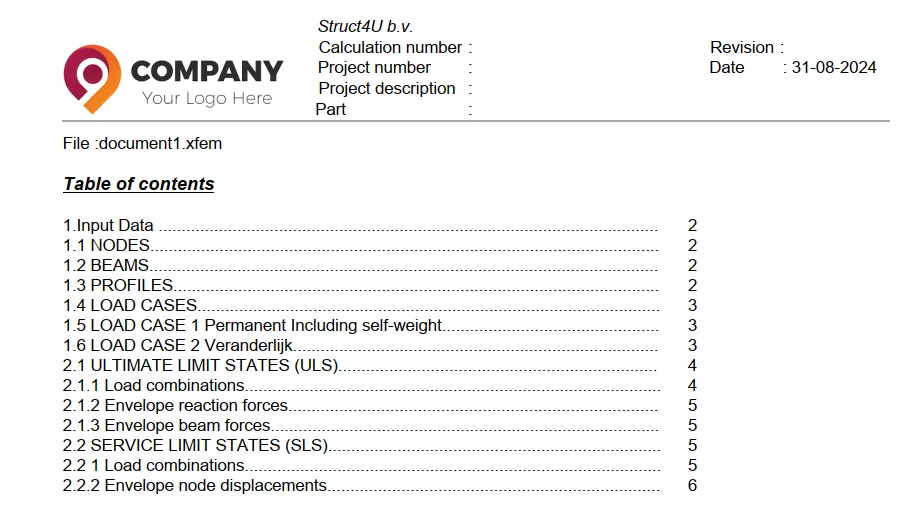
It is now possible to include your company logo in the page header. Including your company logo in reports is obviously important in building and strengthening your brand identity. It contributes to a professional appearance, increases brand recognition, protects your corporate identity, and even offers marketing benefits.
To stay up to date with the latest developments you can follow us on Linkedin.