There are new releases available of
- XFrame2D 2025.5 download release notes
- XBeam2D 2025.4 download release notes
The most important new features:
1. New Snapping
Snapping has been extended. Now it also snaps to intersections of beams and grid lines. (help desk #2517)
2. New Repeat last command
To repeat the last drawing command just press the Enter key or the spacebar like in AutoCad, or F4 key like MS Word. This is super convenient because you often want to quickly repeat the drawing of, say, a new beam. The big advantage is that you don't have to move your mouse to the function in the ribbon menu so you can input your model even easier and faster. Try it. You will like it. (help desk #2367)
3. New Old reinforcement diameters
In XBeam2D it is now possible to enter the old reinforcement diameters Ø5.5, Ø7.5, Ø8.5, Ø9.5, Ø10.5, Ø11.5, Ø11, Ø13, Ø15, Ø19 and Ø28. This is of course useful if you want to test an existing construction. (help desk #2541).
It is now also possible to enter covers smaller than the minimum required cover. A checkbox “Diviant cover” has been added. By default, it is off. When the cover does not comply, a warning is now given instead of an error message. (help desk #2541)
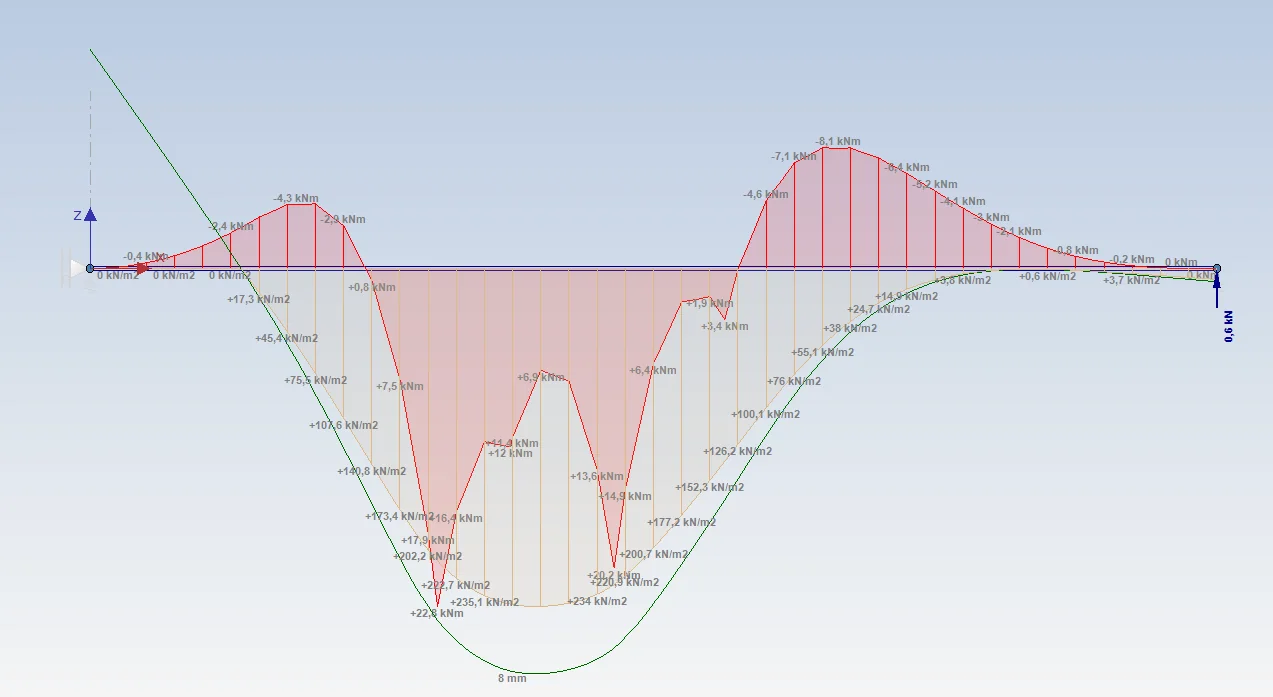
4. Corrected: Display soil pressure
The graphical representation of soil pressure was found to be incorrect at widths other than 1m. This problem has been resolved. (help desk #2532)
To stay up to date with the latest developments you can follow us on Linkedin.