There is a new release available of our 3D program XFEM4U 2025.4.
Click here to install the new release (2025.4.01).
On release notes you will find an overview of all new features and improvements
The most important new features:
1. New Export to AutoCAD
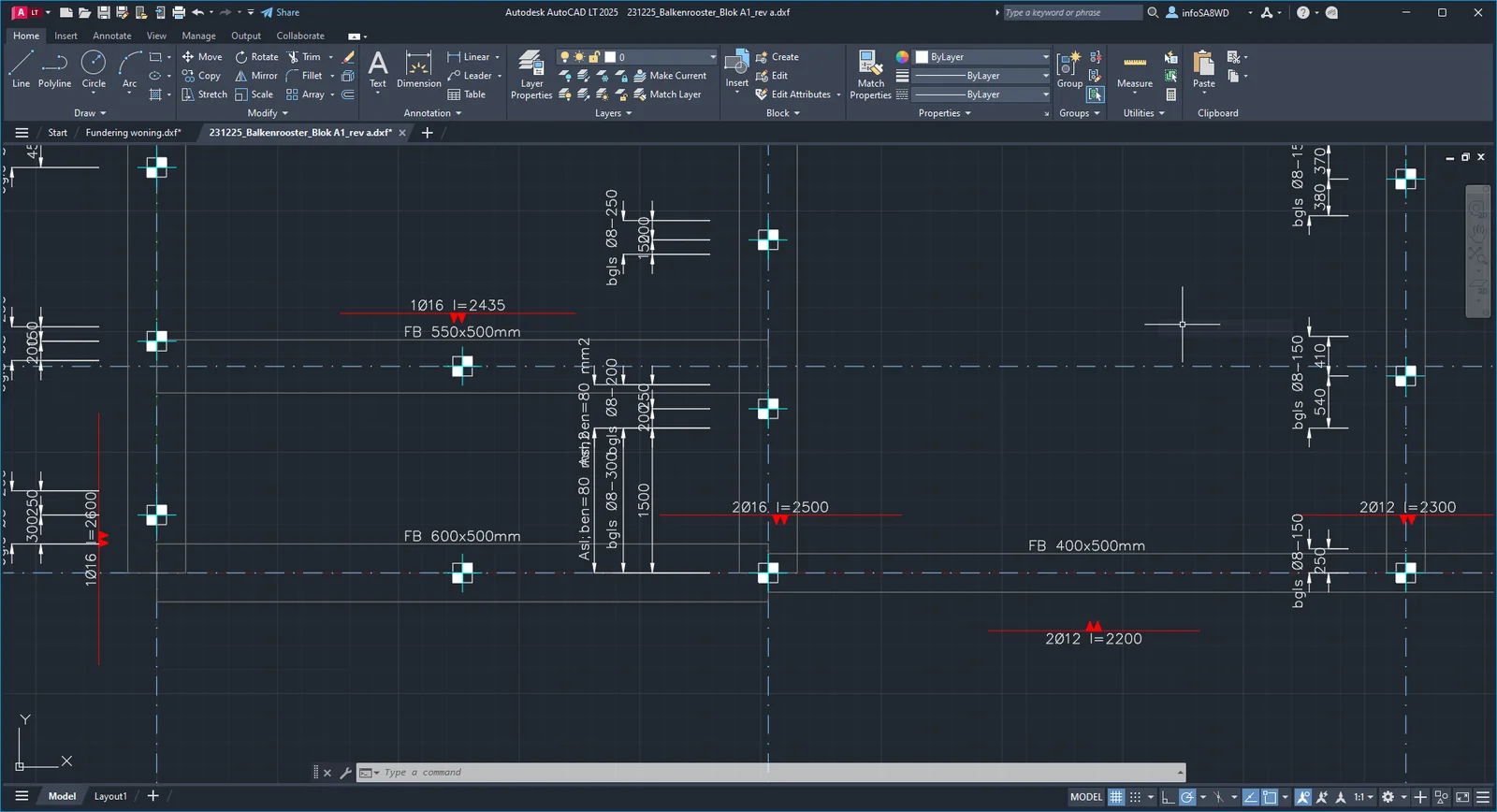
It is now possible to export the designed additional reinforcement, stirrups and pile positions to DXF so that a draftsman can copy them into his drawing quickly and with less chance of errors. (help desk #1400, #1500, #1693 and #2197).
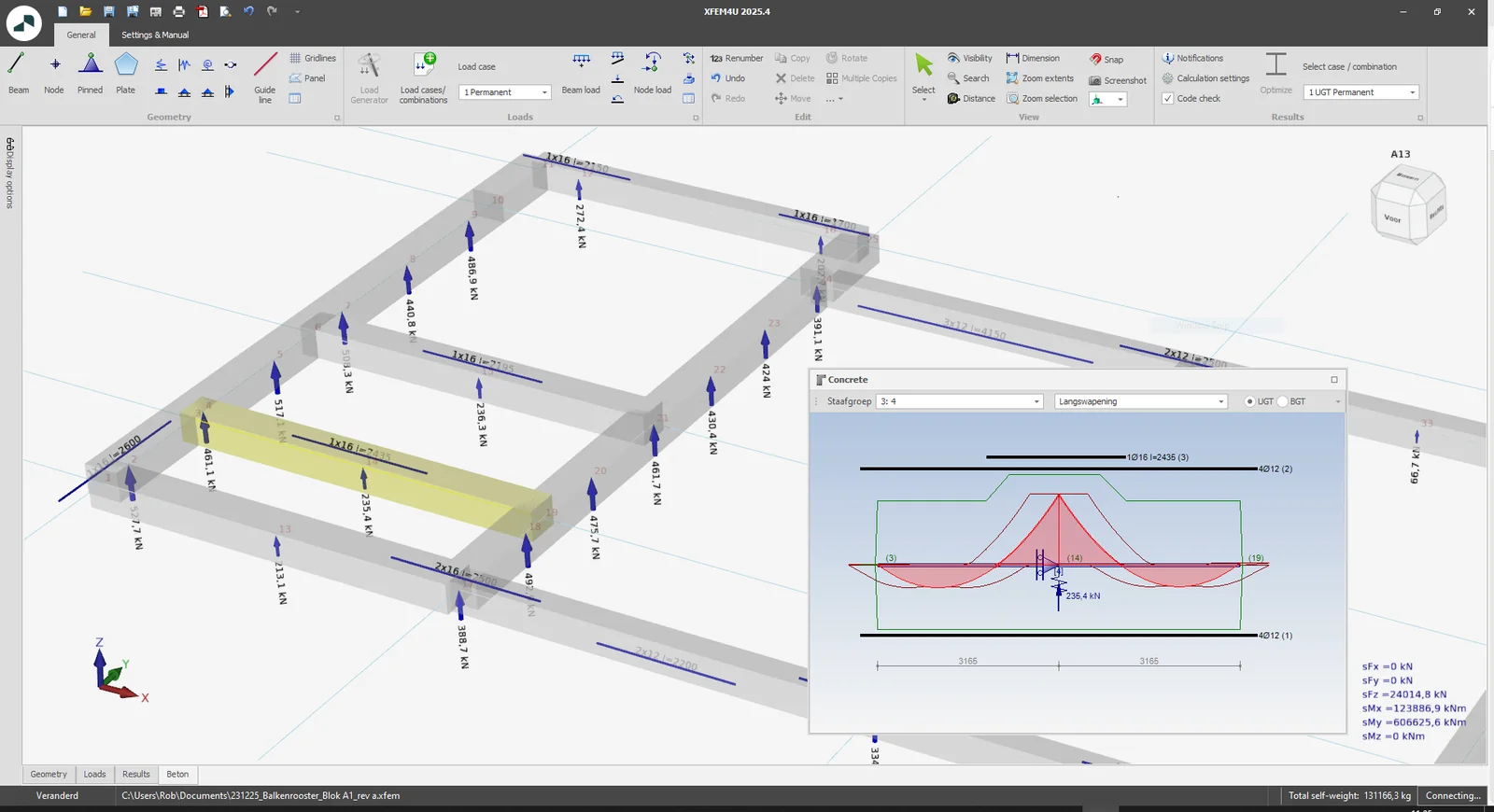
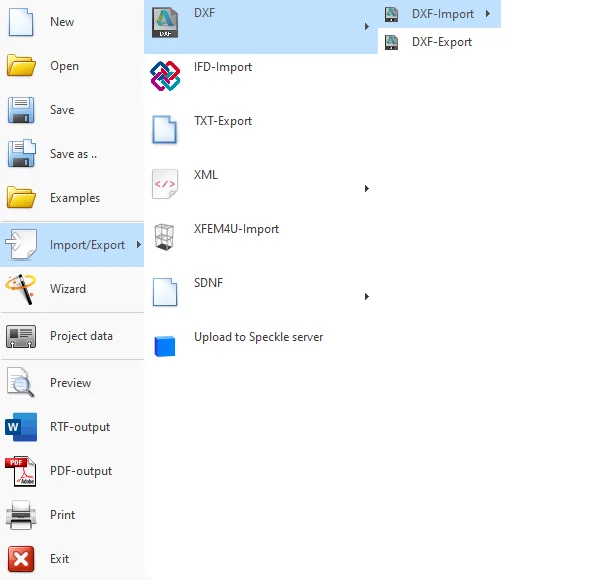
How does it work? Design the pile positions and reinforcement. With Import/Export > DXF > DXF-Export you can very easily create a DXF file to open in AutoCAD.
2. New Soil pressure
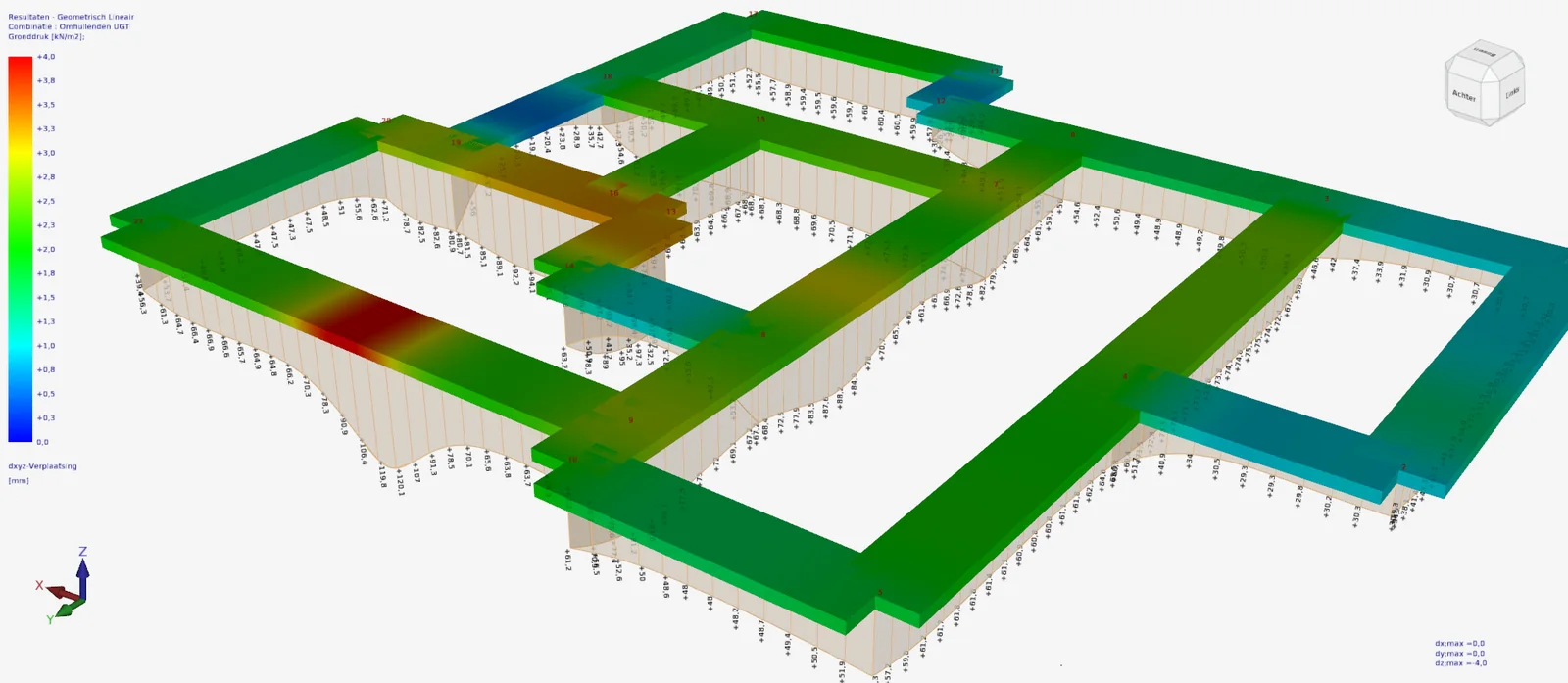
For beams on elastic foundation (Shallow foundation), it is now possible to graphically display the ground / soil pressure. And that's super practical. Because you can immediately see the size of the largest soil pressure and where it occurs. And just like the bending moment diagram, it is possible to show the envelope soil pressure diagram as well. (help desk #1906, #1917, #1965)
3. New Side reinforcement bars
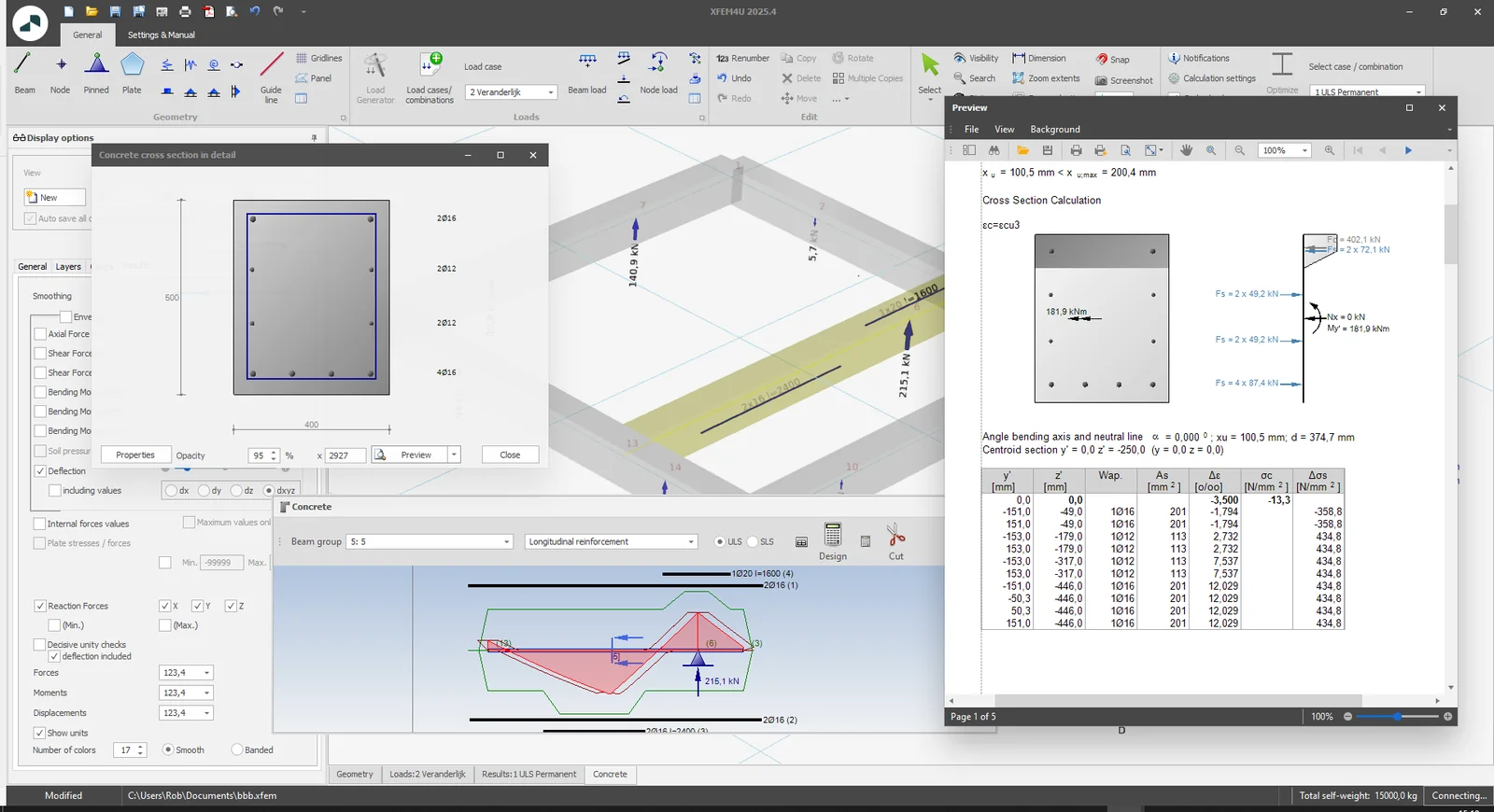
It is now possible to enter side reinforcement bars as well. The user can set whether that side reinforcement should be included in the calculation of the resistant moment or not. By default, it is set off.
The location of the side reinforcement bars can be easily adjusted by clicking on dimension lines between the bars.
With this new and also unique feature, moment capacity can be significantly increased and less or perhaps no additional reinforcement is needed. The condition, of course, is that those side reinforcement bars are also properly anchored and that the reinforcement is not pierced. You are the structural engineer, so you can set whether or not to include those side bars in the calculation.
4. Improved Calculation/analysis
Calculation/analysis: The geometrical nonlinear (GNL) analysis was further optimized and also made more stable.
5. New Select by layer
In the ribbon menu, the new Select drop-down menu has been expanded to include: "Select by layer" which thus allows you to select all beams and plates in a layer (or multiple layers) at once.
How does it work? Watch the demo here.
6. New Repeat last command
To repeat the last drawing command just press the Enter key or the spacebar like in AutoCAD, or F4 key like MS Word. This is super convenient because you often want to quickly repeat the drawing of, say, a new beam. The big advantage is that you don't have to move your mouse to the function in the ribbon menu so you can input your model even easier and faster. Try it. You will like it. (help desk #2367)
To stay up to date with the latest developments you can follow us on Linkedin.