Download free

Release · January 2024

XFEM4U 2025.1

Another new version of XFEM4U is available: XFEM4U 2025.1. Here is a brief overview of the new functionality.

Published
By
Struct4U
Reading time
1 min read
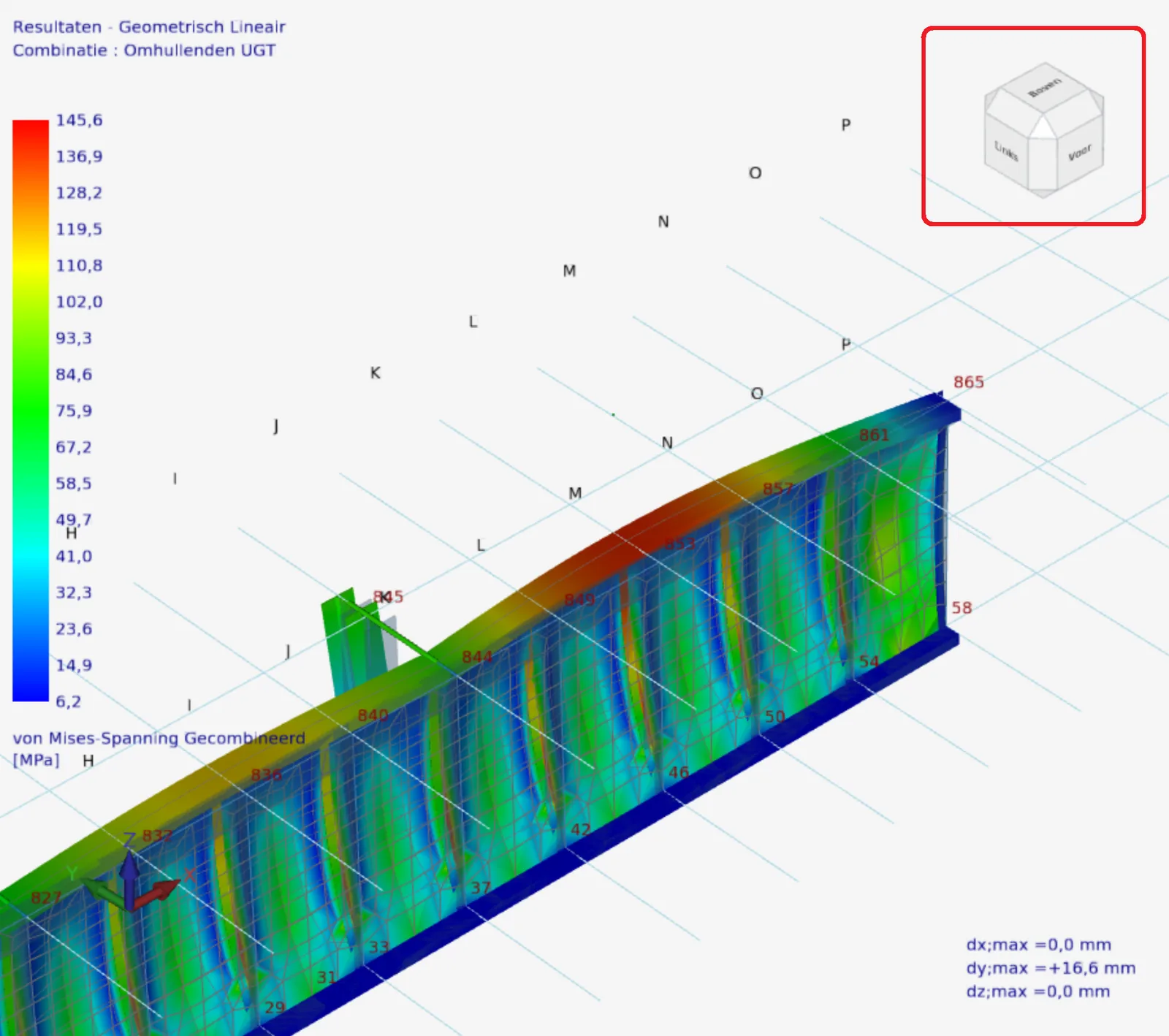
XFEM4U: the von Mises stresses of a steel plate girder in colour, with the navigation cube marked at the top right
FIG. 1The navigation cube (top right, marked in red), here with the von Mises stresses of a plate girder.
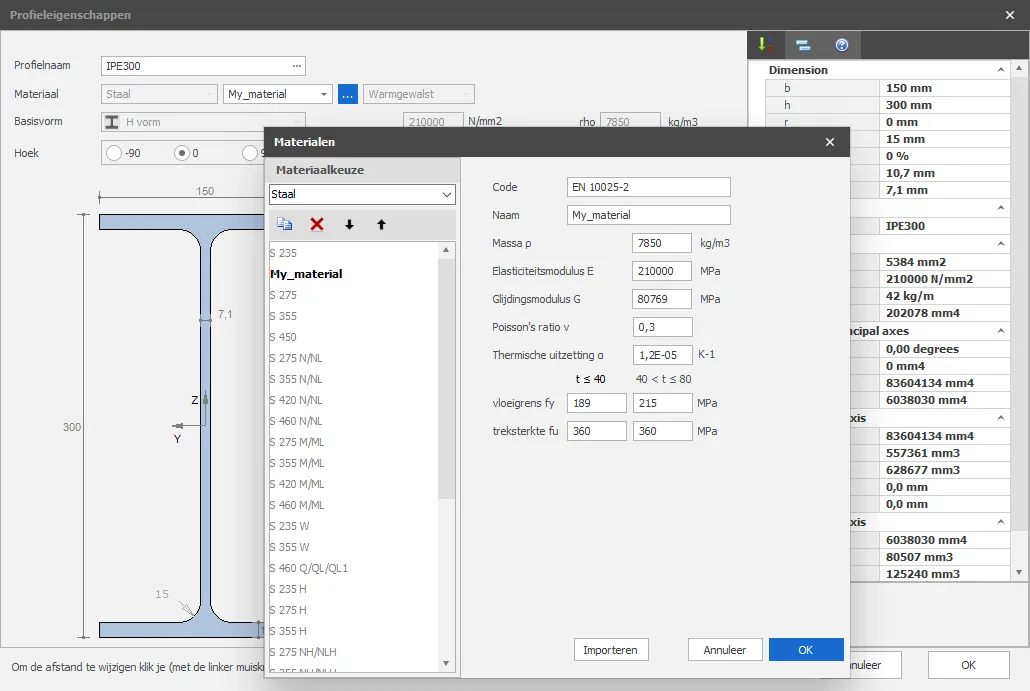
  • Material editor. Create your own material grades for concrete, rebar, timber and steel. Watch the demonstration (opens in a new tab).
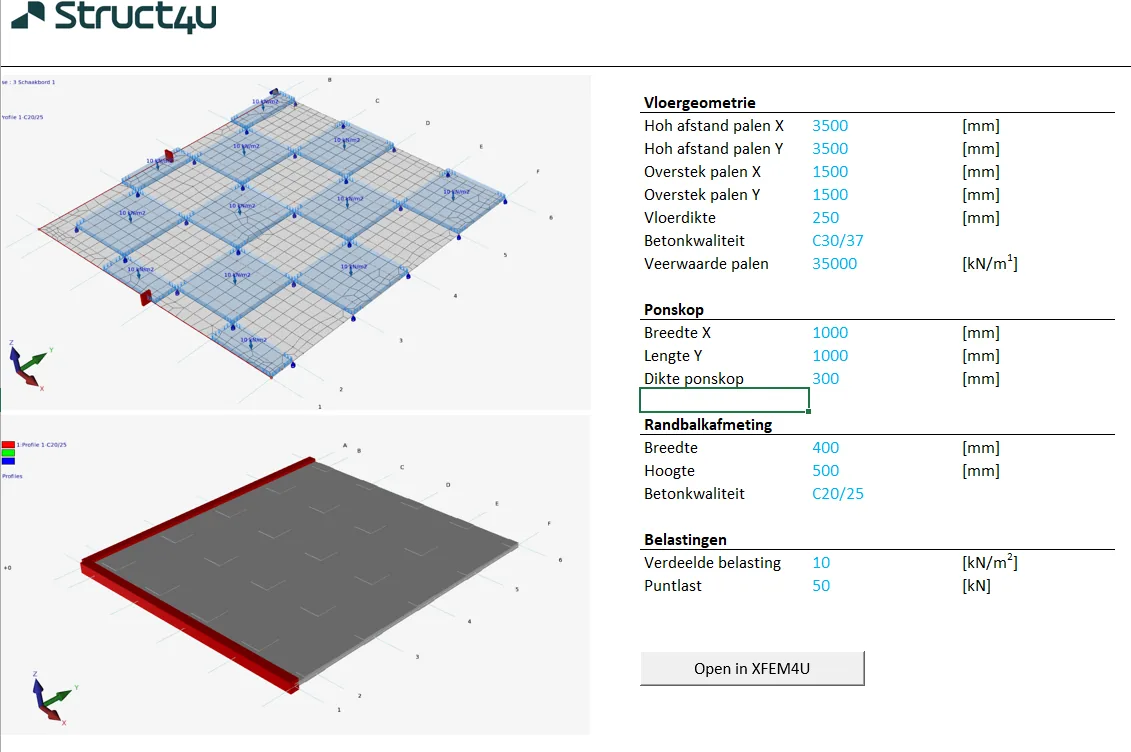
  • DirectCommands. Launch XFEM4U and XFrame2D directly from Excel or Python with a parametric structure.
  • Navigation cube for easy navigation in 3D.
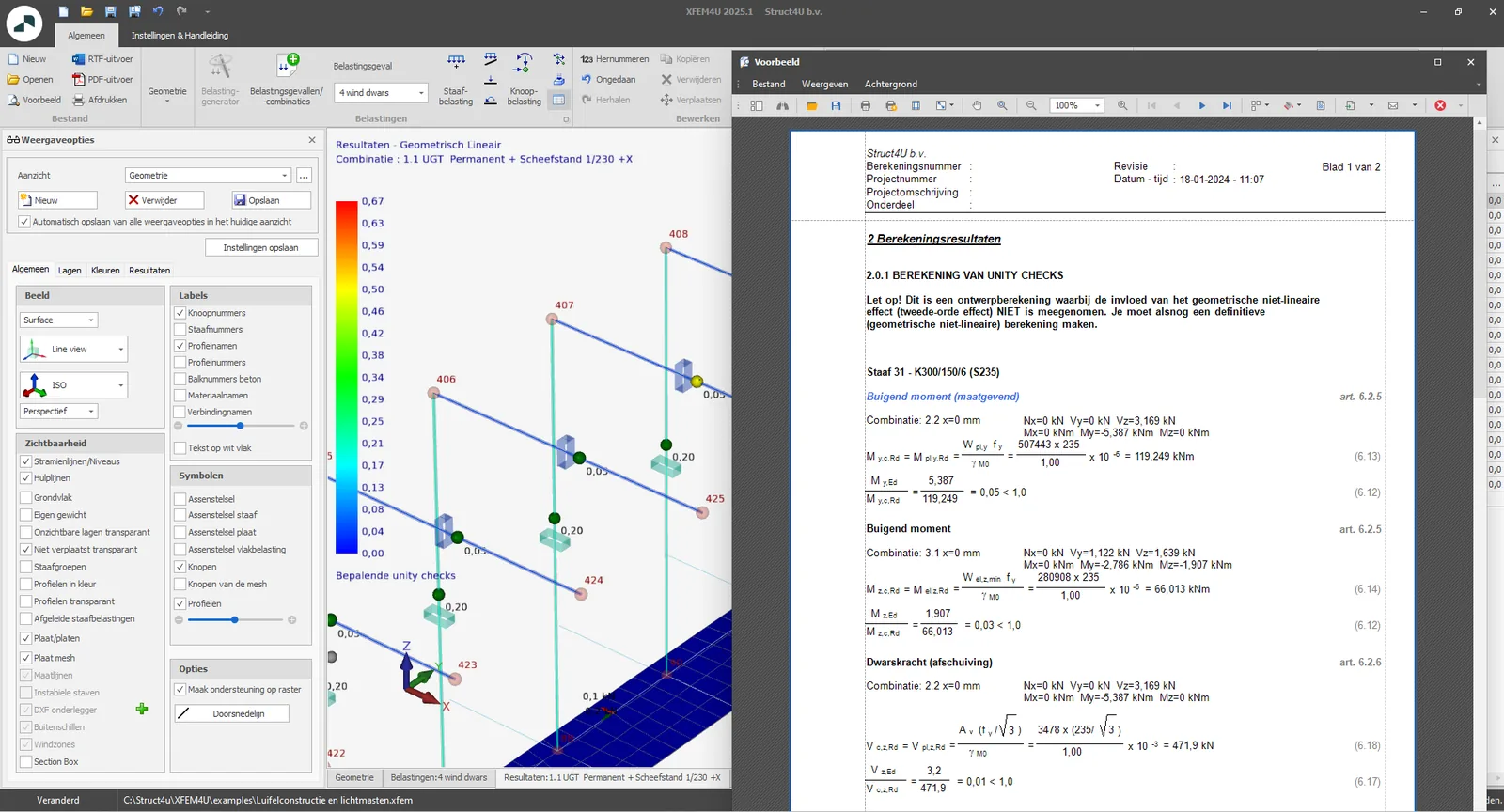
  • Reporting improvements: more insight into the governing formulas.
  • Various improvements in the tables of load cases and load combinations.
  • New steel profiles: the N.P. and B profiles, and additional C profiles.
  • An error handler has been added.
  • Surface loads and plates can be copied more easily.
  • Again many improvements in the mesher.
  • Several reinforcement diameters have been added.
The materials window over the profile properties of an IPE 300: a user-defined steel called My_material with a yield strength of 189 and 215 N/mm² and a tensile strength of 360 N/mm²
FIG. 2The material editor: a user-defined steel grade, “My_material”, with a yield strength of 189 N/mm² and a tensile strength of 360 N/mm², used for an IPE 300.
XFEM4U with the unity checks of a steel structure in colour, next to the report preview with bending and shear checks, each with its clause and formula
FIG. 3Unity checks of a steel structure, and the report: every check shows its clause and formula, with the values that go in.
An Excel sheet with two 3D views of an industrial floor on piles with a chessboard load, input for pile spacing, floor thickness, punching heads, edge beams and loads, and a button Open in XFEM4U
FIG. 4A parametric industrial floor on piles with a chessboard load, set up in Excel. The button “Open in XFEM4U” builds the model with DirectCommands.
See the release notes (opens in a new tab) for all new functionality.

Originally published on struct4u.com on .

Related

See what the software does today

Every check names its clause and shows the values that went in.

Free download · first hour free · €100 welcome credit when you register · then pay per use · no credit card · Windows