Free download · first hour free · €100 welcome credit when you register · then pay per use · no credit card · Windows
Tips · November 2023
Profiles Struct4U Engineering Tools
In all programs of the Struct4U Engineering Tools we use the profiles function: in XFEM4U, XFrame2D, XBeam2D and XConstruct. You can define concrete, timber, steel and other profiles here.
Published
By
Struct4U
Reading time
1 min read
Easily make openings in standard profiles.
Find your profile very quickly by typing in the profile name, with different syntax options.
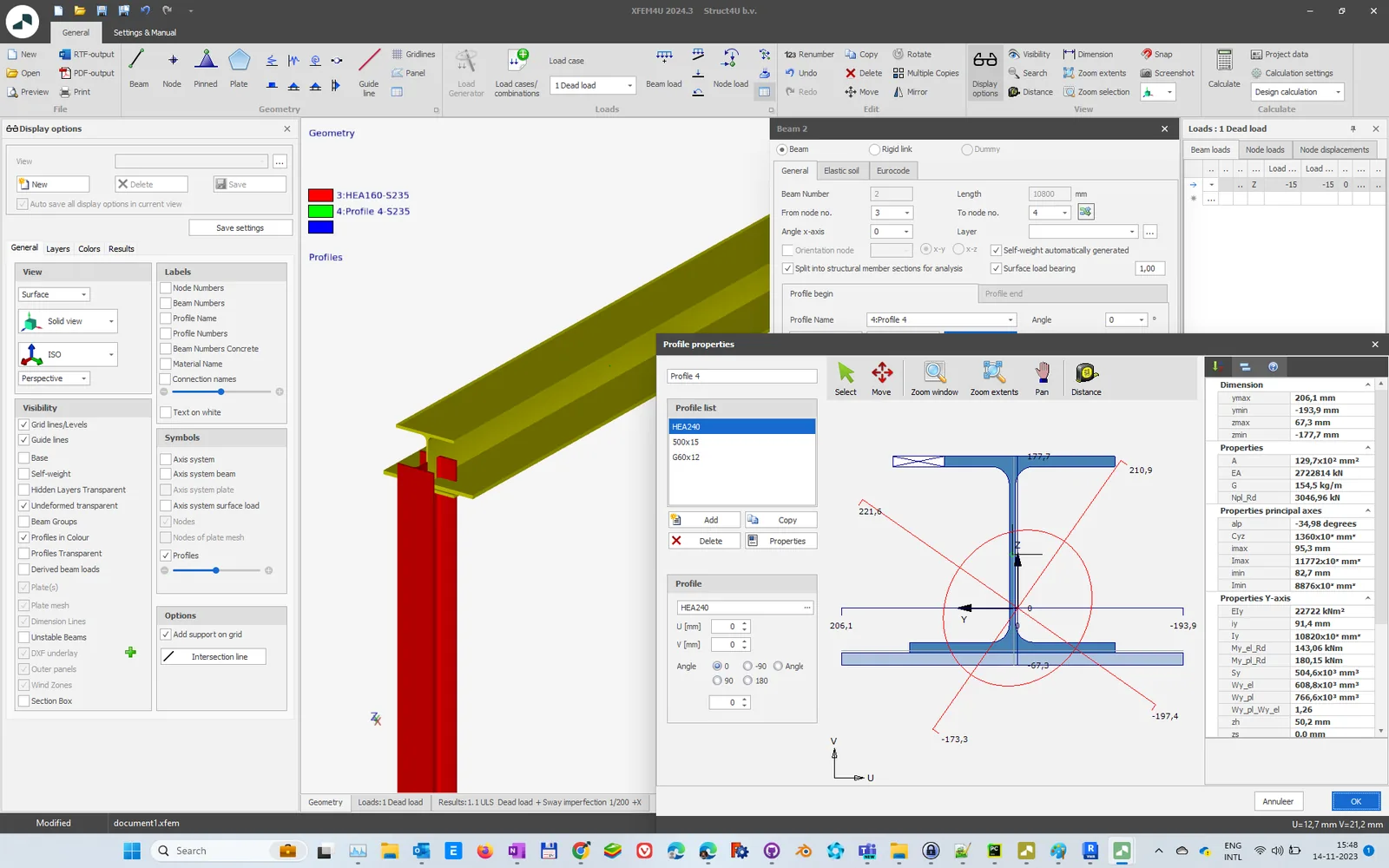
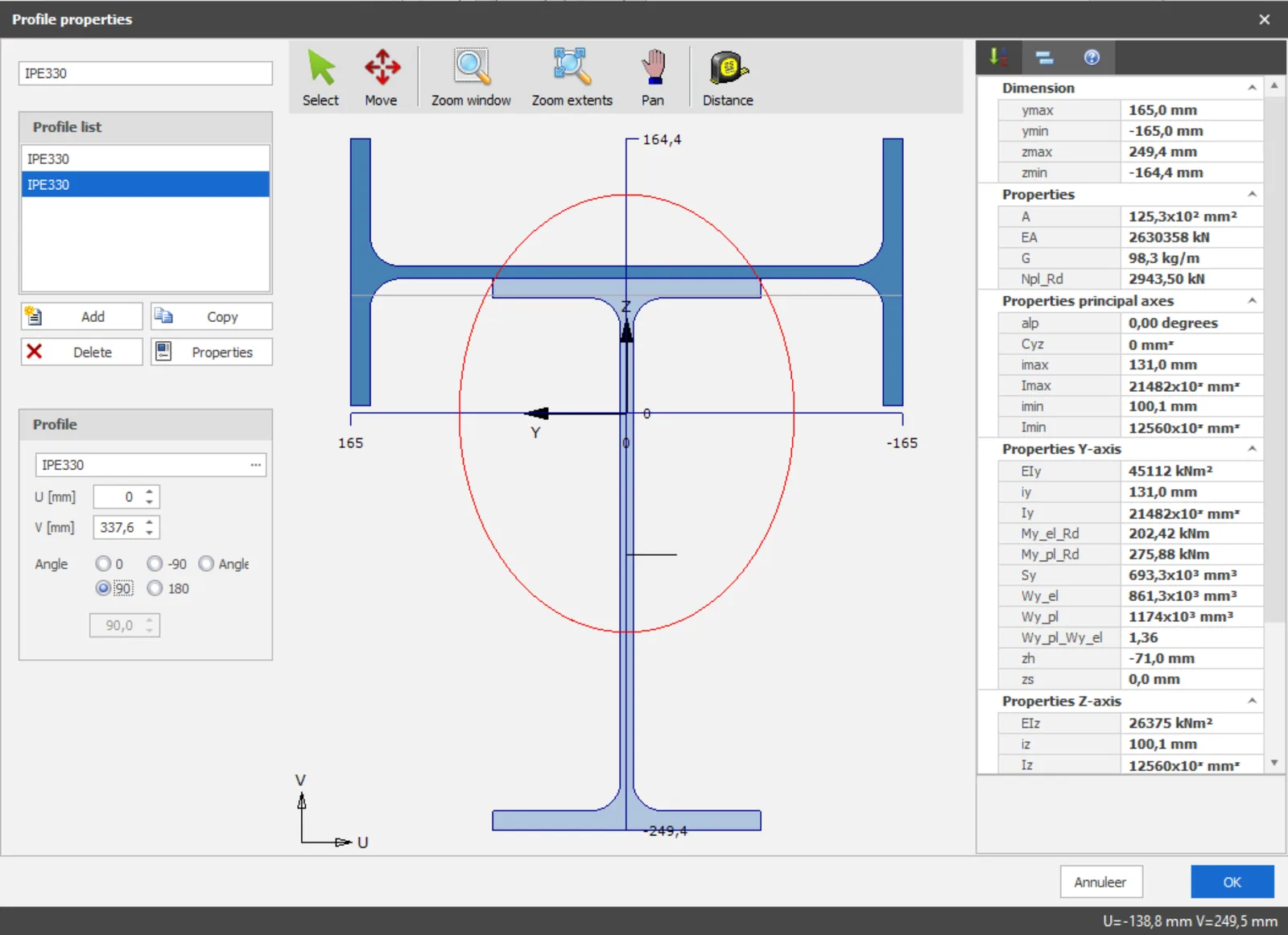
Move the parts of a built-up profile graphically, including snap functions.
A large profile database with thousands of profiles.
All profiles are parametric, so you can make a new version of an existing profile with a different size in a few mouse clicks.
FIG. 1A built-up profile in XFEM4U: an HEA 240 with two plates, and its section properties on the right.
FIG. 2Two IPE 330 sections combined into one profile: the second is rotated by 90° and moved into place graphically.
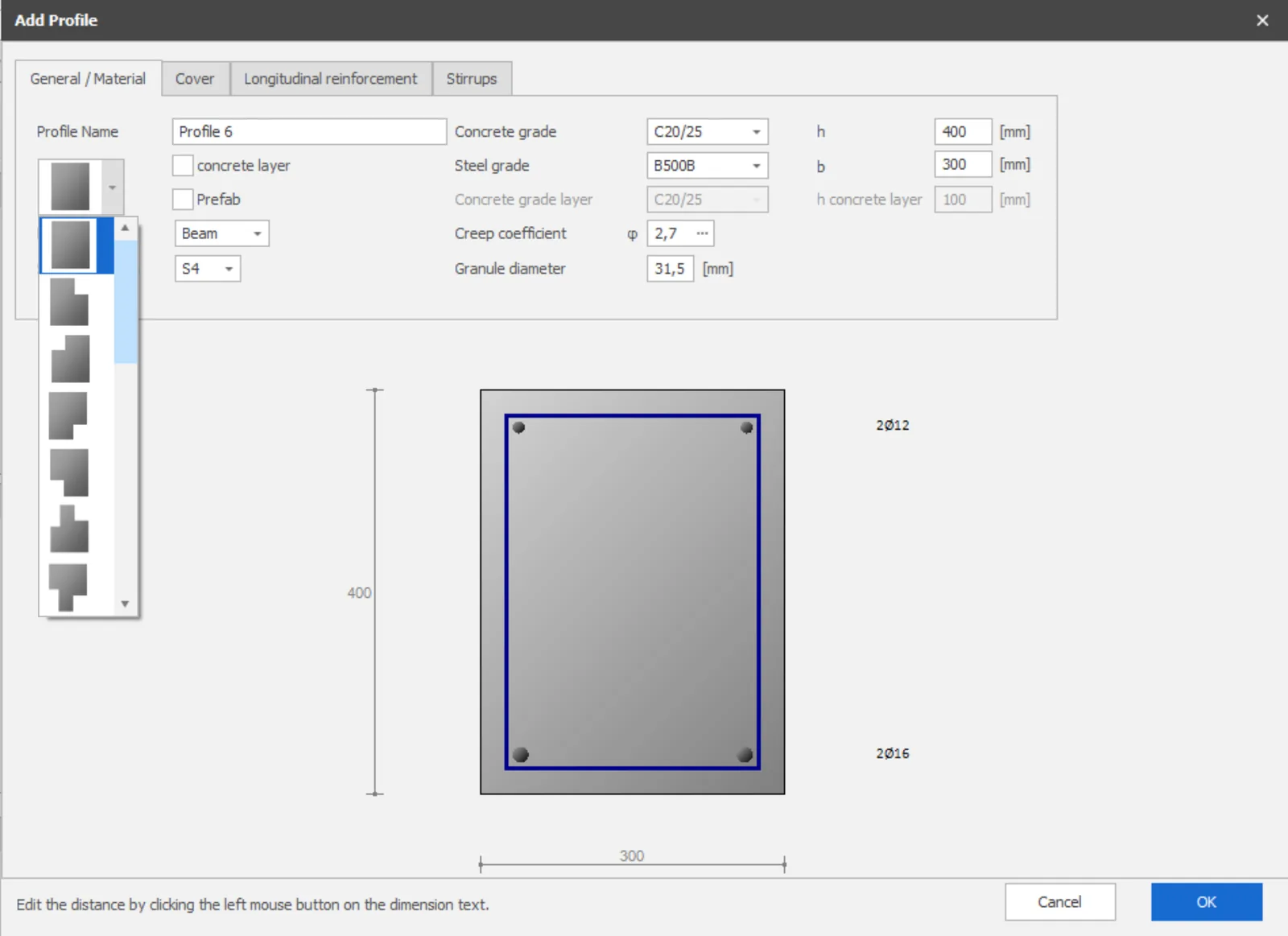
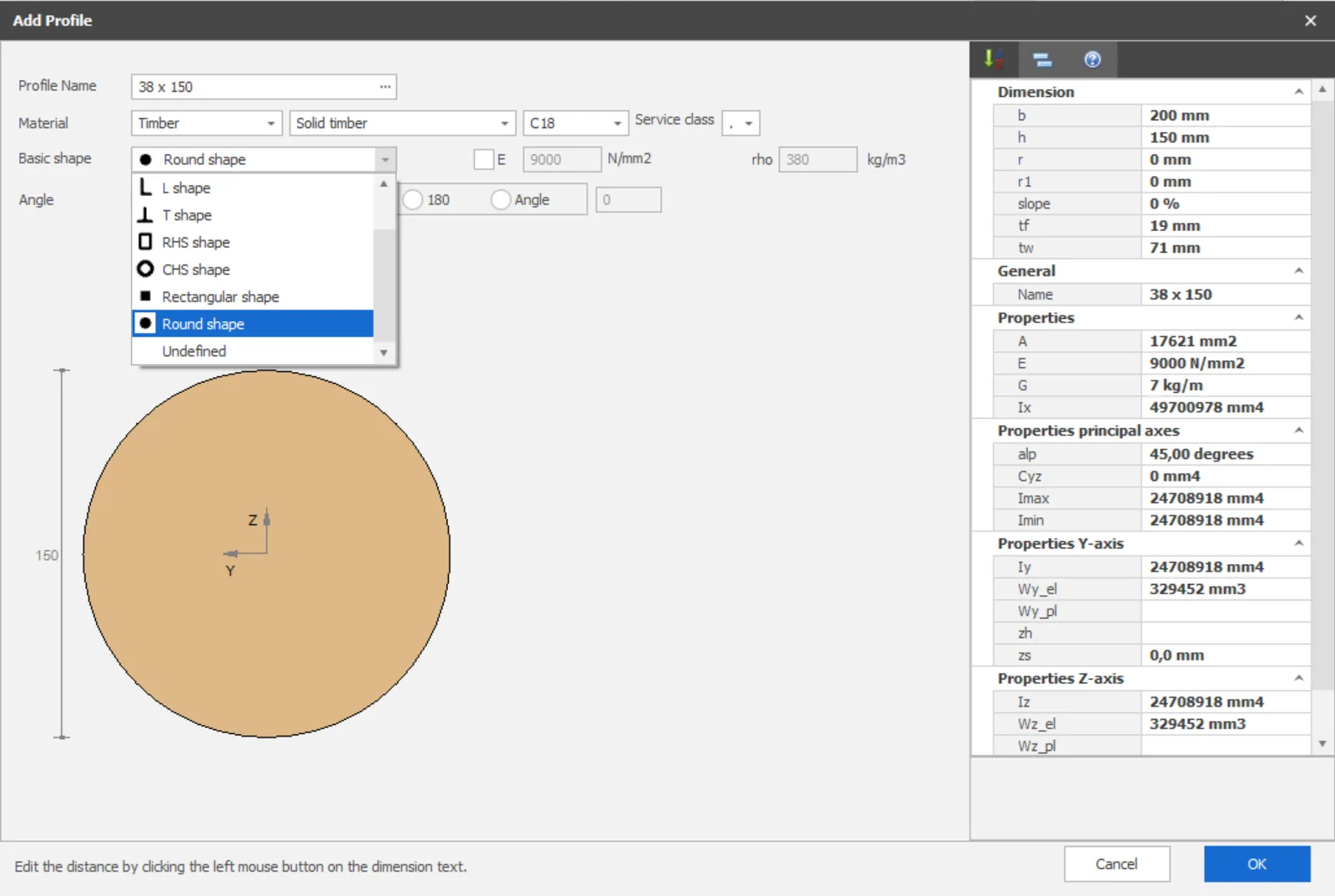
FIG. 3Left, a concrete profile of 300 × 400 mm in C20/25 with 2Ø12 at the top and 2Ø16 at the bottom; the shape is chosen from the list. Right, a timber profile, here with a round basic shape.